
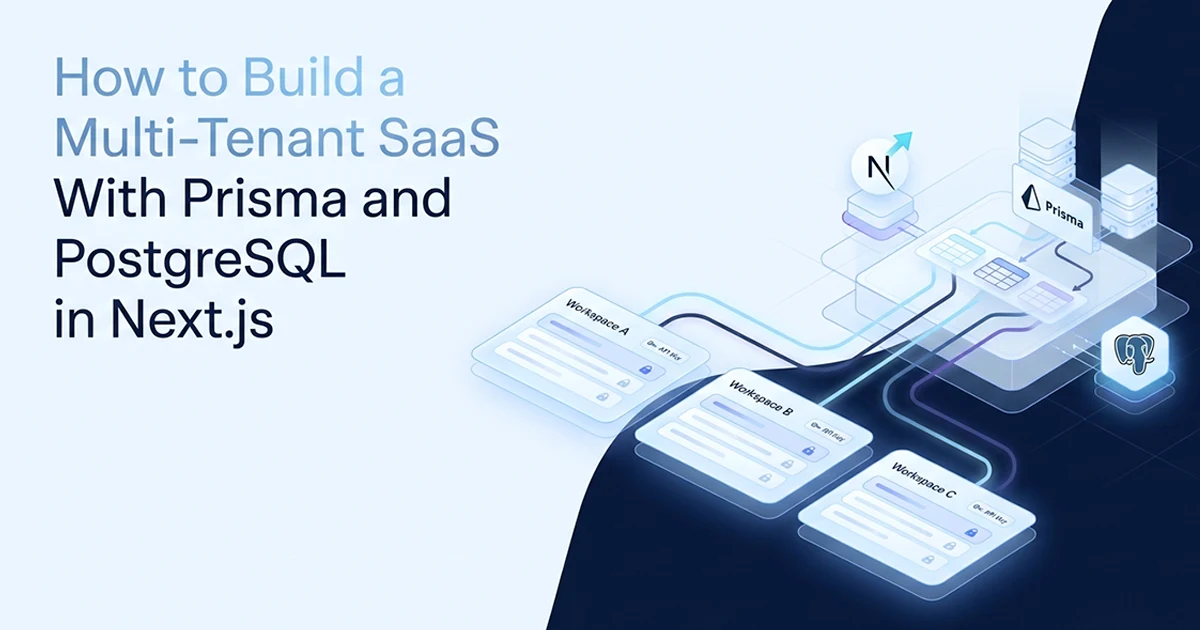
What Multi-Tenancy Actually Means in a SaaS Context (And Two Ways to Implement It)
Application-level multi-tenancy means every database query is filtered by the current user's ID, enforced in application code — the simpler alternative to PostgreSQL row-level security that works well for most SaaS products under 50 developers. Schema spans 6 Prisma models, userId on every query, AES-256-GCM on credentials, and 4-gate Server Actions across 10 tools on one Postgres database. Platform totals from production: 10 tools, 6 networks, $20-60/month AI spend, 58,641 lines, 4-month solo build.
See also: NextAuth v5 RBAC for multi-tenant apps and Prisma migrations on Vercel production.
I built an affiliate marketing SaaS on Next.js 16 where multiple users each have their own affiliate network accounts with encrypted API credentials, synced sales from six affiliate networks (ClickBank, Digistore24, BuyGoods, MaxWeb, JVZoo, Hotmart), tracking links with click analytics, and manual conversion entries. No user can see another user's data — not because PostgreSQL enforces it automatically, but because every query includes userId from a verified session. Six Prisma models, six network adapters (all scoped to per-user credentials), ~286 TypeScript/TSX files, 12 bcrypt rounds for password hashing, and a discipline I enforce in code review: if a query touches user-owned data, it must include userId.
Multi-tenancy here does not mean separate databases per customer or schema-per-tenant isolation. It means shared tables with a userId column on every row that belongs to a tenant — and application code that never reads or writes without that column in the where clause. That is the pattern this post covers end to end: schema constraints, session-sourced userId, Server Action gates, and encryption for credentials that must be retrieved at runtime.
Application-level vs row-level security
Application-level isolation: userId in every query, enforced in Server Actions and service functions. Pros: simpler to set up, works with any Prisma-compatible database, no connection pooling tricks. Cons: a missed userId filter leaks data silently — requires discipline and review.
PostgreSQL RLS: ENABLE ROW LEVEL SECURITY + policy definitions enforce isolation at the database layer. Pros: database blocks leaks even if application code is wrong — a developer who forgets userId still cannot read another tenant's rows. Cons: Prisma + RLS requires setting session variables on each connection or using per-user connection pooling — more operational complexity, harder to debug in development. I use application-level isolation; RLS is the right upgrade when compliance requirements (SOC 2, HIPAA, enterprise contracts) demand database-enforced boundaries regardless of application bugs.
For a solo developer or small team shipping their first SaaS, application-level isolation with strict code review is faster to ship and easier to reason about. The trade-off is real: one missed filter is a silent breach. That is why I built the 4-gate Server Action pattern and the safe-vs-dangerous query table into the codebase culture from day one — not as documentation, but as enforced patterns every developer copies.
| Query | Safe? | Risk if wrong |
|---|---|---|
findMany({ where: { userId } }) |
✅ Safe | — |
findMany({}) |
❌ Dangerous | Returns ALL users' data |
findFirst({ where: { id, userId } }) |
✅ Safe | Confirms ownership |
findFirst({ where: { id } }) |
⚠️ Risky | Caller can access any record by ID |
upsert({ where: { userId_network: { userId, network } }}) |
✅ Safe | Uses compound unique |
update({ where: { id } }) |
❌ Dangerous | No ownership verification |
Admin: findMany({}) in admin route |
✅ Intentional | Protected at route layer |
A Prisma findMany() without userId is the most common data breach vector in multi-tenant SaaS. It returns every user's records silently — no error, no warning. The only protection is discipline and code review. The dangerous query and the safe query look nearly identical — one missing field in the where clause.
The Prisma Schema: userId on Every Table That Matters
In this multi-tenant SaaS Prisma PostgreSQL Next.js tutorial, every table that holds user-owned data needs a userId foreign key — and tables where each user can have only one record per category need a @@unique([userId, category]) constraint to prevent duplicates and enable upserts.
The 6 models and how each is scoped
The User model is the root tenant — it has no userId because it IS the tenant identifier. Every other model either has a direct userId FK or scopes indirectly through a relation (Click → Link → userId).
// prisma/schema.prisma — 6 models, userId scoping throughout

model User {
  id           String   @id @default(cuid())
  email        String   @unique
  username     String   @unique
  passwordHash String   @map("password_hash")  // bcrypt, 12 rounds
  role         String   @default("user")         // "user" | "admin"
  isActive     Boolean  @default(true) @map("is_active")

  networkAccounts AffiliateNetworkAccount[]
  sales           AffiliateSale[]
  links           Link[]

  @@map("users")
}

model AffiliateNetworkAccount {
  id              String    @id @default(cuid())
  userId          String    @map("user_id")
  network         String    // clickbank | digistore24 | buygoods | maxweb | jvzoo | hotmart
  encryptedApiKey String    @map("encrypted_api_key")   // AES-256-GCM
  encryptedSecret String?   @map("encrypted_secret")
  status          String    @default("active")          // active | error | disabled
  lastSyncedAt    DateTime? @map("last_synced_at")
  lastError       String?   @map("last_error")

  user User @relation(fields: [userId], references: [id], onDelete: Cascade)

  // Purpose 1: one account per user per network (no duplicates)
  // Purpose 2: enables upsert via userId_network compound key
  @@unique([userId, network])
  @@index([userId])
  @@map("affiliate_network_accounts")
}

model AffiliateSale {
  id               String   @id @default(cuid())
  userId           String   @map("user_id")
  network          String
  externalOrderId  String   @map("external_order_id")
  saleDate         DateTime @map("sale_date")
  productName      String?  @map("product_name")
  grossAmount      Decimal  @map("gross_amount") @db.Decimal(10, 2)
  commissionAmount Decimal @map("commission_amount") @db.Decimal(10, 2)
  currency         String   @default("USD")
  rawData          Json?    @map("raw_data")

  user User @relation(fields: [userId], references: [id], onDelete: Cascade)

  // Idempotent sync: hourly cron never creates duplicate sales
  @@unique([userId, network, externalOrderId])
  @@index([userId, saleDate])
  @@index([userId, network])
  @@map("affiliate_sales")
}

model Link {
  id             String  @id @default(cuid())
  alias          String  @unique              // global — used in /go/[alias]
  userId         String  @map("user_id")
  destinationUrl String  @map("destination_url")
  platform       String?
  utmSource      String? @map("utm_source")
  utmMedium      String? @map("utm_medium")
  utmCampaign    String? @map("utm_campaign")

  user   User    @relation(fields: [userId], references: [id], onDelete: Cascade)
  clicks Click[]

  @@index([userId])
  @@map("links")
}

model Click {
  id        String   @id @default(cuid())
  linkId    String   @map("link_id")
  timestamp DateTime @default(now())
  ipHash    String?  @map("ip_hash")       // first 16 hex chars of SHA-256
  userAgent String?  @map("user_agent")
  device    String?
  referrer  String?

  link Link @relation(fields: [linkId], references: [id], onDelete: Cascade)
  // Scoped indirectly: Click → Link.userId

  @@index([linkId, timestamp])
  @@map("clicks")
}

model Conversion {
  id     String  @id @default(cuid())
  linkId String  @unique @map("link_id")    // V1: one conversion per link
  views  Int     @default(0)
  leads  Int     @default(0)
  sales  Int     @default(0)
  revenue Decimal @default(0) @db.Decimal(10, 2)

  link Link @relation(fields: [linkId], references: [id], onDelete: Cascade)

  @@map("conversions")
}
The @@unique([userId, X]) constraint — two purposes
Purpose 1 — duplicate prevention: a user cannot add ClickBank twice. The database rejects the second insert.
Purpose 2 — upsert-on-conflict: idempotent sync without duplicate records:
await db.affiliateNetworkAccount.upsert({
  where: { userId_network: { userId, network: 'clickbank' } },
  create: { userId, network: 'clickbank', encryptedApiKey },
  update: { encryptedApiKey, status: 'active' },
})

await db.affiliateSale.upsert({
  where: {
    userId_network_externalOrderId: { userId, network, externalOrderId },
  },
  create: { ...saleData },
  update: { ...saleData },  // safe to run hourly — no duplicate count
})
Without @@unique([userId, network, externalOrderId]) on sales, each hourly cron run doubles the sale count. With it, sync is safe to run every hour indefinitely. The hourly Vercel Cron job pulls sales from each connected network, upserts each sale record, and updates lastSyncedAt on the network account — all scoped to the userId whose credentials were used for the API call. Six adapters, one upsert pattern, zero duplicate rows after 100+ sync runs in production.
The Link model uses a globally unique alias for public redirects at /go/[alias] — that alias is not scoped by userId in the URL, but the redirect handler still verifies the link exists and logs the click against the correct linkId. Conversion records tie to linkId with a @unique constraint — V1 allows one conversion entry per link, upserted on each manual update.
The userId-in-Every-Query Discipline: Getting It From Session, Not Client
Always read userId from the server-side session, never from a client-sent parameter — a client can send any userId it wants, but the session token is server-verified by NextAuth v5.
The session layer
Every Server Action and API route starts the same way:
const session = await auth()           // server-side — reads signed JWT
if (!session?.user?.id) throw new Error('Unauthorized')
const userId = session.user.id          // trusted — from JWT, not the client
The session includes { id, email, username, role }. userId flows from here into every database query — never from URL params, never from request body fields named userId. I rejected an early design where the client sent { userId, network } to sync endpoints — it worked in development because I always sent my own ID, but any authenticated user could swap the userId field and trigger syncs against another tenant's stored credentials. Session-sourced userId eliminates that entire attack surface.
Service layer functions receive userId as their first parameter — always passed from the Server Action that already verified auth. Components never call Prisma directly. The data access boundary is always: React component → Server Action (auth + gates) → service function (userId param) → Prisma query (userId in where). Breaking that chain at any layer reintroduces the leak risk.
The three query patterns to know
Pattern 1 — list (safe): db.affiliateNetworkAccount.findMany({ where: { userId } })
Pattern 2 — fetch by ID with ownership (safe): db.link.findFirst({ where: { id: linkId, userId } }) — confirms the record belongs to this user even if they guess another user's link ID.
Pattern 3 — fetch by ID only (dangerous): db.link.findFirst({ where: { id: linkId } }) — Prisma cuid IDs are unguessable in practice, but the pattern is wrong. Any authenticated user who obtains another record's ID accesses that tenant's data.
The most expensive bug in a multi-tenant SaaS is a Prisma findMany() without a userId filter. It returns every customer's data silently — no error, no warning, just a data breach. The fix is architectural: get userId into every query from the session layer, not the component layer, not the URL params.
The Server Action Security Layer: Four Gates Before Any Data Access
Each Server Action enforces a four-gate pipeline — authentication, rate limiting, locking, and validation — before any database call, which makes it harder for a UI bug to bypass the security layer.
// src/features/sales-tracking/actions/sync-network.ts

'use server'

import { auth } from '@/lib/auth'
import { checkRateLimit, acquireLock, releaseLock } from '@/lib/rate-limit'
import { z } from 'zod'
import { db } from '@/lib/db'
import type { ActionResponse } from '@/types'

const SyncNetworkSchema = z.object({
  network: z.enum(['clickbank', 'digistore24', 'buygoods', 'maxweb', 'jvzoo', 'hotmart']),
})

export async function syncNetworkSales(
  input: { network: string },
): Promise<ActionResponse<{ synced: number }>> {
  // Gate 1: Authentication — reject if no verified session
  const session = await auth()
  if (!session?.user?.id) {
    return { success: false, error: 'Unauthorized' }
  }
  const userId = session.user.id

  // Gate 2: Rate limiting — 30 req/min per user
  const rateLimit = await checkRateLimit(userId)
  if (!rateLimit.allowed) {
    return { success: false, error: 'Rate limit exceeded', retryAfter: rateLimit.retryAfter }
  }

  // Gate 3: Lock — prevent concurrent duplicate syncs from double-clicks
  const locked = await acquireLock(userId)
  if (!locked) {
    return { success: false, error: 'Request already in progress' }
  }

  let succeeded = false
  try {
    // Gate 4: Validate input
    const parsed = SyncNetworkSchema.safeParse(input)
    if (!parsed.success) {
      return { success: false, error: 'Invalid network' }
    }

    // Execute — userId ALWAYS from session, never from input
    const account = await db.affiliateNetworkAccount.findFirst({
      where: {
        userId,                        // from verified session
        network: parsed.data.network,
        status: 'active',
      },
    })
    if (!account) return { success: false, error: 'Account not found' }

    const sales = await fetchAndUpsertSales(userId, parsed.data.network, account)
    succeeded = true
    return { success: true, data: { synced: sales.length } }

  } finally {
    releaseLock(userId, succeeded)
  }
}
Why each gate is necessary
Gate 1: without auth, anyone with a valid POST can call the action. Gate 2: without rate limiting (30 req/min sliding window per user), one user hammers affiliate network APIs — costs money and risks account suspension by the network. Gate 3: without locking, double-clicks dispatch two concurrent syncs writing duplicate API calls. Gate 4: without Zod validation, malformed network strings reach the adapter layer and produce opaque 500 errors instead of clean rejection messages.
This pattern scales across the platform's Server Actions — AI tools, link creation, network credential updates, manual conversion entry. Each action wraps the same four gates in a shared helper where possible, so adding a new feature means copying the gate sequence, not reinventing auth or rate limiting per endpoint. Ten AI tools, one gate pattern, zero duplicated auth logic scattered across 286 files.
The userId ALWAYS comes from session.user.id — never from the function's input parameters. A client can send any userId in the request body. The session is signed and server-verified. This is the fundamental rule of multi-tenant Server Actions.
Per-User AES-256-GCM Encryption for Sensitive Credentials
Affiliate network API keys are AES-256-GCM encrypted before storage — one shared application key encrypts all users' credentials, with a unique random 16-byte IV per encryption to prevent pattern analysis.
Why not bcrypt for API keys
bcrypt is designed for passwords — intentionally slow and one-way. You cannot decrypt a bcrypt hash to call an affiliate API. API keys need reversible encryption. AES-256-GCM is the right tool: fast, reversible, with tamper detection via a 16-byte auth tag. Passwords use bcrypt at 12 rounds; API keys use AES-256-GCM with a 64 hex character ENCRYPTION_KEY (32 bytes).
// src/features/sales-tracking/lib/encryption.ts

import { createCipheriv, createDecipheriv, randomBytes } from 'crypto'

const ALGORITHM = 'aes-256-gcm'
const KEY_LENGTH = 32       // 32 bytes = 64 hex characters
const IV_LENGTH = 16        // bytes — must be unique per encryption
const AUTH_TAG_LENGTH = 16  // bytes — tamper detection

function getEncryptionKey(): Buffer {
  const hexKey = process.env.ENCRYPTION_KEY
  if (!hexKey || hexKey.length !== 64) {
    throw new Error('ENCRYPTION_KEY must be 64 hex characters (32 bytes)')
  }
  return Buffer.from(hexKey, 'hex')
}

export function encrypt(plaintext: string): string {
  const key = getEncryptionKey()
  const iv = randomBytes(IV_LENGTH)  // new random IV every time — NEVER reuse with GCM
  const cipher = createCipheriv(ALGORITHM, key, iv)

  const encrypted = Buffer.concat([
    cipher.update(plaintext, 'utf8'),
    cipher.final(),
  ])
  const authTag = cipher.getAuthTag()

  // Storage format: {iv_hex}:{authTag_hex}:{ciphertext_hex}
  return [iv.toString('hex'), authTag.toString('hex'), encrypted.toString('hex')].join(':')
}

export function decrypt(stored: string): string {
  const key = getEncryptionKey()
  const [ivHex, authTagHex, encryptedHex] = stored.split(':')

  const decipher = createDecipheriv(ALGORITHM, key, Buffer.from(ivHex, 'hex'))
  decipher.setAuthTag(Buffer.from(authTagHex, 'hex'))

  // If authTag doesn't match, this throws — tamper detected
  return Buffer.concat([
    decipher.update(Buffer.from(encryptedHex, 'hex')),
    decipher.final(),
  ]).toString('utf8')
}

export function maskApiKey(encrypted: string): string {
  const plaintext = decrypt(encrypted)
  return plaintext.substring(0, 4) + '*'.repeat(Math.max(0, plaintext.length - 4))
}
GCM vs CBC — the tamper detection difference
AES-256-GCM authenticates the ciphertext via the 16-byte auth tag. If stored credentials are modified — DB injection, backup restore of wrong data, manual edit in a database GUI — decryption throws immediately with an authentication error. AES-256-CBC decrypts tampered data to garbled plaintext with no error — silent corruption that might only surface when an affiliate API call fails with an invalid key error hours later. For API keys used to pull real commission data, GCM's tamper detection is the minimum acceptable security level.
The maskApiKey() helper decrypts server-side and shows the first four characters plus asterisks in the dashboard — users confirm which key is stored without exposing the full credential in HTML or browser devtools. The encrypted blob in the database is useless without ENCRYPTION_KEY — a database dump alone does not expose plaintext API keys.
Store the ENCRYPTION_KEY rotation plan before you launch. If you need to rotate the key after a security incident, you must decrypt all stored keys with the old key and re-encrypt with the new key. Build this migration script before you have 10,000 encrypted records — not after.
Admin vs User Queries: One Pattern for Each Route Type
Admin routes bypass the userId filter to see all users' data — security is enforced by the route protection layer, not query-level checks, so admin query patterns must ONLY appear in admin route handlers.
Route-level protection (proxy.ts)
src/proxy.ts checks the session before any route renders. /admin/* routes require role === "admin" — redirect to dashboard otherwise. All other protected routes require a valid session — redirect to login. Admin query code cannot accidentally reach a non-admin route because the route protection fires before the Server Action executes. User role is stored in the JWT and checked on every request — not cached in client state alone.
The split is intentional: user routes are the default and always userId-scoped. Admin routes are explicit exceptions with their own handlers in /admin/ — never mixed into shared service functions that user routes also call. If a service function needs to work for both, pass an optional scope parameter from the route layer, not from the client.
The query patterns side by side
// USER query — always scoped (dashboard, settings, sync actions)
const myAccounts = await db.affiliateNetworkAccount.findMany({
  where: { userId: session.user.id },
})

// ADMIN query — intentionally unscoped (/admin/users route ONLY)
const allAccounts = await db.affiliateNetworkAccount.findMany({
  include: { user: { select: { email: true, username: true } } },
  // no userId filter — admin sees all tenants
})
The IP hash for click privacy
The public redirect route /go/[alias] logs clicks. Raw IP addresses are PII under GDPR and CCPA. The platform stores a de-identified hash instead:
import { createHash } from 'crypto'

const ipHash = createHash('sha256')
  .update(ip + process.env.ENCRYPTION_KEY)  // salt with app secret
  .digest('hex')
  .substring(0, 16)  // first 16 hex chars only

await db.click.create({
  data: { linkId: link.id, ipHash, userAgent, referrer },
})
Stored as Click.ipHash — cannot be reversed to recover the original IP. Can detect duplicate clicks from the same source without storing PII. Country detection is skipped in V1 — the hash contains no geographic data. Hassan Raza documents the full Next.js affiliate SaaS stack — Prisma schema, Server Actions, encryption, and Vercel Cron sync — across posts on hassanr.com, including the FastAPI vs Next.js comparison for teams choosing their backend architecture.
Frequently Asked Questions
Add userId to every user-owned model and enforce it in every Server Action. Read userId from the server-side session — never from client input. Use @@unique([userId, category]) constraints where each user has one record per category — this prevents duplicates and enables upsert-on-conflict for idempotent syncs. Protect routes in middleware or proxy.ts before any database call. Use Server Actions for data mutations so auth and scoping run on every request. For sensitive credentials like affiliate API keys, encrypt with AES-256-GCM before storage — bcrypt is one-way and cannot decrypt for API use.
Get userId from session.user.id — never from client input parameters. Call auth() server-side, then include userId in every where clause: db.table.findMany({ where: { userId }}). For findFirst with an explicit record ID, always include both id AND userId to confirm ownership — findFirst({ where: { id: inputId, userId }}). The dangerous pattern is findFirst({ where: { id: inputId }}) alone — a client can guess any record's cuid and access another tenant's data.
Use application-level isolation for most teams; add PostgreSQL RLS for compliance. Application-level means userId in every query, enforced in Server Actions and services — simpler with Prisma, but a missed userId filter leaks data silently. PostgreSQL row-level security uses ENABLE ROW LEVEL SECURITY and CREATE POLICY to enforce isolation at the database layer even when application code is wrong — but requires session variable setup in the Prisma connection. Start with application-level discipline; add RLS when compliance requirements demand it.