
Why I Built a Canvas Editor Instead of Embedding an Existing Tool
Embedded tools like Canva's SDK or Bannerbear add third-party dependencies, usage limits, and no real customisation — a custom Fabric.js editor gives full control at zero per-seat cost.
See also: tool registry pattern on the same platform and six-network affiliate sales dashboard.
The affiliate marketing SaaS I built needed a way for users to create Facebook and Instagram ad creatives without leaving the dashboard. Affiliate marketers upload creatives directly to Facebook Ads Manager. Submit a 800×600 image for an Instagram Square placement and the ad gets rejected automatically — wrong pixel dimensions fail before a human reviews anything.
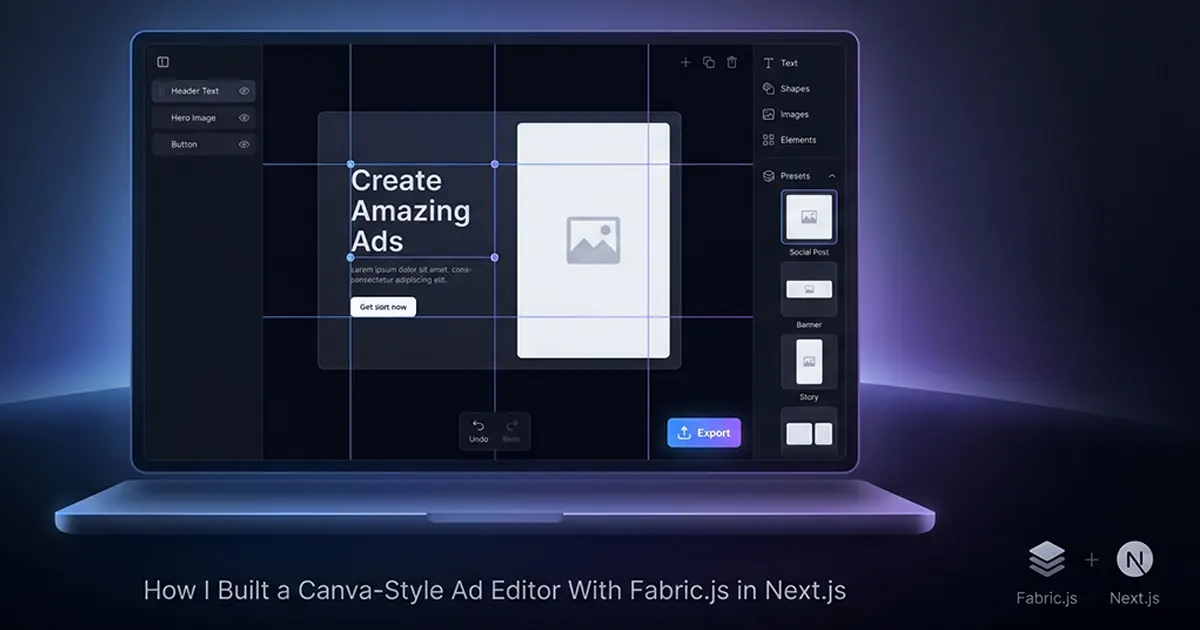
Third-party embeds solved the editing problem but introduced others: per-seat pricing at scale, API rate limits on exports, branding you can't remove, and feature ceilings you can't extend. A browser-based editor at /apps/image-editor using Fabric.js 5, React 19, and Tailwind CSS 4 gave me preset platform sizes, drag-drop image upload, AI copy suggestions on text layers, and PNG export at exact ad spec dimensions — all inside the existing auth and billing stack.
Two gotchas blocked me within the first day: Fabric.js cannot be server-rendered in Next.js App Router, and Fabric.js 5 has no built-in undo/redo. Everything else — layers, snap guides, keyboard shortcuts, zoom — is engineering work on top of a solid object model. The rest of this post covers the library choice, both gotchas with production fixes, and the architecture mistake that turned my editor component into 400+ lines.
Choosing the Right Canvas Library (And Why I Picked Fabric.js)
Fabric.js is the right choice for 2D ad creative editors because it has a full object model — groups, layers, text, images — built-in serialisation via canvas.toJSON(), and the widest tutorial ecosystem, at the cost of requiring SSR workarounds in Next.js.
| Fabric.js 5 | Konva.js | Plain Canvas API | Excalidraw | |
|---|---|---|---|---|
| Best for | Ad creatives, image editors | Game UIs, diagrams | Full custom control | Whiteboard/diagrams |
| React support | Needs manual integration | ✅ react-konva | Manual | ✅ Built-in |
| SSR compatible | ❌ Dynamic import needed | ❌ Dynamic import needed | ❌ Client-only | ❌ Client-only |
| Built-in undo/redo | ❌ Build yourself | ❌ Build yourself | ❌ Build yourself | ✅ Built-in |
| Text editing | ✅ Rich inline editing | ⚠️ Basic | ❌ Manual | ⚠️ Basic |
| Object serialisation | ✅ canvas.toJSON() | ✅ stage.toJSON() | ❌ Manual | ✅ Built-in |
| Bundle size | ~220kb | ~150kb | 0kb | ~1MB+ |
| My choice for this project | ✅ Best fit | — | — | — |
When to Choose Konva Instead
Konva with react-konva is the better pick when your editor is React-first and doesn't need Fabric.js's richer inline text editing or canvas.toJSON() history snapshots. Game UIs, simple diagram editors, and canvas-heavy dashboards where objects are mostly shapes and images — not editable ad copy — fit Konva well. I chose Fabric.js because affiliate ad creatives are 60% text layers with double-click inline editing, and the history manager depends entirely on serialising the full canvas state to JSON on every modification.
Gotcha #1: Fabric.js Breaks SSR — Here's the Fix
Fabric.js accesses window at import time, which causes a window is not defined build error in Next.js App Router — fix it with dynamic import inside useEffect or next/dynamic with ssr: false.
Why It Breaks
Fabric.js is not a pure library. It reads window, document, and HTMLCanvasElement when the module loads — not when you call new fabric.Canvas(). Next.js App Router may execute your component module on the server during build or SSR. A top-level import { fabric } from 'fabric' crashes immediately. This was the first blocker on the project and cost me hours before I understood the root cause.
Two Fix Approaches
Option A: Dynamic import inside useEffect after the canvas element ref mounts. Full control over initialization timing and cleanup.
Option B: Wrap the entire editor component with next/dynamic(() => import('./ImageEditor'), { ssr: false }). Simpler if the editor is a self-contained route with no server-rendered content above it.
I used Option A inside a useCanvas hook so initialization, event registration, and disposal live in one place.
"use client";

import { useEffect, useRef } from "react";
import type { fabric as FabricNamespace } from "fabric";

type FabricCanvas = FabricNamespace.Canvas;

const PRESETS = {
  facebookFeed: { width: 1200, height: 628 },
  instagramSquare: { width: 1080, height: 1080 },
  instagramPortrait: { width: 1080, height: 1350 },
  story: { width: 1080, height: 1920 },
} as const;

export function useCanvas(preset: keyof typeof PRESETS) {
  const canvasElRef = useRef<HTMLCanvasElement>(null);
  const fabricRef = useRef<FabricCanvas | null>(null);

  useEffect(() => {
    if (!canvasElRef.current) return;

    let disposed = false;

    async function initCanvas() {
      // Dynamic import — never import fabric at module top level
      const { fabric } = await import("fabric");
      if (disposed || !canvasElRef.current) return;

      const { width, height } = PRESETS[preset];

      const canvas = new fabric.Canvas(canvasElRef.current, {
        width,
        height,
        selection: true,
        preserveObjectStacking: true,
      });

      fabricRef.current = canvas;
    }

    initCanvas();

    return () => {
      disposed = true;
      // Critical: dispose() removes all listeners and frees the canvas
      fabricRef.current?.dispose();
      fabricRef.current = null;
    };
  }, [preset]);

  function setPreset(next: keyof typeof PRESETS) {
    const canvas = fabricRef.current;
    if (!canvas) return;
    const { width, height } = PRESETS[next];
    canvas.setWidth(width);
    canvas.setHeight(height);
    canvas.renderAll();
  }

  return { canvasElRef, fabricRef, setPreset };
}
Forgetting canvas.dispose() on unmount causes a Fabric.js memory leak. The canvas continues listening to DOM events after the React component unmounts. Always pair initialization inside useEffect with canvas.dispose() in the cleanup function — not optional, not a nice-to-have.
Gotcha #2: Fabric.js Has No Undo/Redo — Build It Yourself
Fabric.js 5 has no built-in history — you need a snapshot-based stack that serialises canvas state on every modification and reloads the previous snapshot on undo.
The Naive Approach and Its Edge Cases
The obvious pattern: listen to object:added, object:modified, and object:removed, call canvas.toJSON(), push onto an array. Undo pops and calls canvas.loadFromJSON(). Three problems appear immediately:
- Event loop during JSON load:
loadFromJSONfiresobject:addedfor every object it restores. Each event saves a new history state. One undo creates five new states. History corrupts within seconds. - Programmatic changes pollute the stack: Loading a preset template or applying AI copy suggestions triggers the same events as user edits. History fills with states the user never created.
- Performance: Stringifying a canvas with 20+ objects on every mouse-move during drag operations is slow without debouncing.
The Production-Ready Approach
I extracted history into a HistoryManager class with an isLoadingState flag, debounced saves, and a 50-state cap.
import type { fabric as FabricNamespace } from "fabric";

type FabricCanvas = FabricNamespace.Canvas;
type HistoryState = string;

const MAX_HISTORY = 50;

export class HistoryManager {
  private stack: HistoryState[] = [];
  private index = -1;
  private isLoadingState = false;
  private saveTimer: ReturnType<typeof setTimeout> | null = null;

  constructor(private canvas: FabricCanvas) {
    this.bindEvents();
    this.saveState(); // initial blank state
  }

  private bindEvents() {
    const events = ["object:added", "object:modified", "object:removed"] as const;
    events.forEach((event) => {
      this.canvas.on(event, () => this.debouncedSave());
    });
  }

  /** Debounce: avoid stringifying on every pixel of a drag operation */
  private debouncedSave() {
    if (this.isLoadingState) return;
    if (this.saveTimer) clearTimeout(this.saveTimer);
    this.saveTimer = setTimeout(() => this.saveState(), 150);
  }

  saveState() {
    if (this.isLoadingState) return;

    const json = JSON.stringify(this.canvas.toJSON());
    // Truncate redo branch when saving after an undo
    this.stack = this.stack.slice(0, this.index + 1);
    this.stack.push(json);
    this.index++;

    if (this.stack.length > MAX_HISTORY) {
      this.stack.shift();
      this.index--;
    }
  }

  undo() {
    if (this.index <= 0) return;
    this.index--;
    this.loadState(this.stack[this.index]);
  }

  redo() {
    if (this.index >= this.stack.length - 1) return;
    this.index++;
    this.loadState(this.stack[this.index]);
  }

  private loadState(json: HistoryState) {
    this.isLoadingState = true; // suppress object:added during load
    this.canvas.loadFromJSON(json, () => {
      this.canvas.renderAll();
      this.isLoadingState = false;
    });
  }

  clear() {
    this.stack = [];
    this.index = -1;
    this.saveState();
  }
}
Set isLoadingState = true before canvas.loadFromJSON and false in the callback. Without this flag, loading a previous state triggers object:added for every restored object, each of which saves a new history entry — corrupting the stack and making undo unusable after the first click.
Keyboard wiring: Cmd/Ctrl+Z calls undo(), Cmd/Ctrl+Shift+Z calls redo(). Both need e.preventDefault() to override the browser's native undo in text inputs elsewhere on the page.
The Features That Make It Feel Like a Real Editor
Snap guides, keyboard shortcuts, and 2× resolution export are the three features that separate a toy canvas from a tool affiliate marketers trust with their ad spend.
Preset Canvas Sizes
Four presets ship on load: Facebook Feed (1200×628), Instagram Square (1080×1080), Instagram Portrait (1080×1350), and Story (1080×1920). Users pick a size before editing. The canvas resizes via setWidth and setHeight. Export produces a PNG at exactly that resolution — ready for Ads Manager upload without manual cropping.
Snap Guides
On object:moving, I calculate proximity between the dragged object's edges and the canvas center or other objects' edges. Within a 10px threshold, the object snaps to alignment and temporary guide lines render as Fabric.js Line objects on a separate layer. Guides remove on object:modified. Without snap guides, users spend minutes nudging text blocks pixel by pixel to look centered.
Keyboard Shortcuts
Delete removes the selected object. Arrow keys nudge by 1px, Shift+Arrow by 10px. Cmd/Ctrl+D duplicates. Escape deselects all. Cmd/Ctrl+A selects all objects. All shortcuts register on document with cleanup on unmount:
useEffect(() => {
  const handleKeyDown = (e: KeyboardEvent) => {
    const canvas = fabricRef.current;
    if (!canvas) return;

    const isMod = e.metaKey || e.ctrlKey;
    const active = canvas.getActiveObject();

    if ((e.key === "Delete" || e.key === "Backspace") && active
      && !(active as fabric.IText).isEditing) {
      canvas.remove(active);
      canvas.discardActiveObject();
      canvas.renderAll();
      return;
    }

    if (isMod && e.shiftKey && e.key === "z") {
      e.preventDefault();
      history.redo();
      return;
    }
    if (isMod && e.key === "z") {
      e.preventDefault();
      history.undo();
      return;
    }

    if (isMod && e.key === "d" && active) {
      e.preventDefault();
      active.clone((cloned: fabric.Object) => {
        cloned.set({ left: (active.left ?? 0) + 20, top: (active.top ?? 0) + 20 });
        canvas.add(cloned);
        canvas.setActiveObject(cloned);
        canvas.renderAll();
      });
      return;
    }

    if (active && ["ArrowUp","ArrowDown","ArrowLeft","ArrowRight"].includes(e.key)) {
      e.preventDefault();
      const step = e.shiftKey ? 10 : 1;
      const dir: Record<string, [number, number]> = {
        ArrowUp: [0, -1], ArrowDown: [0, 1],
        ArrowLeft: [-1, 0], ArrowRight: [1, 0],
      };
      const [dx, dy] = dir[e.key];
      active.set({
        left: (active.left ?? 0) + dx * step,
        top: (active.top ?? 0) + dy * step,
      });
      active.setCoords();
      canvas.renderAll();
    }
  };

  document.addEventListener("keydown", handleKeyDown);
  return () => document.removeEventListener("keydown", handleKeyDown);
}, [history]);
Export at 2× Resolution
Export uses canvas.toDataURL({ format: 'png', multiplier: 2 }). The multiplier renders at double the canvas pixel dimensions — producing retina-quality output even when the editor displays the canvas scaled down to fit the viewport. The data URL converts to a Blob, triggers download via URL.createObjectURL and a programmatic anchor click.
Export with multiplier: 2 even if the canvas displays at half size on screen. The downloaded PNG matches the full ad spec resolution — 1080×1080 for Instagram Square — ready to upload directly to Facebook Ads Manager without upscaling artifacts.
Drag-drop and clipboard paste both convert to Fabric.js Image objects via fabric.Image.fromURL(dataURL), auto-centered at a reasonable scale. Zoom uses canvas.zoomToPoint() with mouse wheel support. Alt+drag pans the viewport. AI copy suggestions appear in the sidebar when a text layer is selected — Gemini 2.5 Flash generates ad copy variants via Server Action, and clicking a suggestion updates the layer content. Some advanced image filter features remain marked "coming soon" in the app registry; the core editor — layers, history, presets, export, shortcuts — is fully shipped.
The Mistake That Made My Editor Component 400 Lines Long
Putting canvas setup, event listeners, history, keyboard shortcuts, and export logic in one component file makes it unmaintainable fast — a useCanvas hook should own everything canvas-related from day one.
What useCanvas Should Contain
My initial implementation scattered concerns across a single React component. Adding snap guides pushed it past 400 lines. The refactor extracted a useCanvas hook responsible for: Fabric.js dynamic import and fabric.Canvas initialization, all canvas event listener registration and cleanup, HistoryManager instantiation, keyboard shortcut registration on document with removeEventListener on unmount, preset size switching, and canvas.dispose() on unmount. The component file became layout and UI chrome only.
The HistoryManager Class Pattern
History logic belongs in its own class — not inside the hook or component. A class with push(), undo(), redo(), and clear() methods is independently testable without mounting a React component or a DOM canvas. You can unit-test the 50-state cap, the isLoadingState suppression, and redo-branch truncation without Fabric.js running in a browser.
Fabric.js doesn't do undo, cleanup, or SSR for you. It gives you a powerful object model and gets out of the way. Your architecture has to provide everything else — and if you scatter that across a single component, you'll feel it by feature 4.
I document these patterns on hassanr.com because they're the difference between a demo canvas and a production editor users rely on daily. Hassan Raza builds interactive tools — ad editors, AI wizards, multi-tool SaaS platforms — where Fabric.js canvas editor Next.js integration, custom history managers, and proper cleanup are decided before the first feature ships, not patched after the component hits 400 lines.
Frequently Asked Questions
Use dynamic import inside useEffect or next/dynamic with ssr: false — never import Fabric.js at the module top level in Next.js. Fabric.js accesses window, document, and HTMLCanvasElement at import time, which triggers a build error in the App Router: window is not defined. On the affiliate marketing SaaS I built, this was the first blocker. The fix: const { fabric } = await import('fabric') inside useEffect, after the canvas element ref is mounted. Initialize with new fabric.Canvas(ref.current) and always call canvas.dispose() in the cleanup function. Without dispose(), Fabric.js leaves event listeners attached after unmount — a silent memory leak.
Fabric.js has no built-in history — implement snapshot-based undo with canvas.toJSON() on every modification and canvas.loadFromJSON() on undo. Listen to object:added, object:modified, and object:removed events. Push the serialized JSON string onto a history stack. Undo loads historyStack[index - 1] and decrements the pointer. Set an isLoadingState flag to true before loadFromJSON and false in the callback — without it, loading state triggers object:added and corrupts the stack. Cap the stack at 50 entries to prevent memory growth. Wire Cmd+Z and Cmd+Shift+Z to undo() and redo() with e.preventDefault() to override browser defaults.
Fabric.js for rich ad creative editors with inline text editing and serialisation; Konva.js for React-first projects; plain Canvas API for zero dependencies. Fabric.js 5 fits Facebook and Instagram ad editors — double-click inline text editing, canvas.toJSON() for history, and image manipulation. Konva with react-konva offers cleaner React integration but weaker text editing. Plain Canvas API gives full control at the cost of building everything manually. All three require SSR workarounds in Next.js App Router. See the comparison table in this article — I chose Fabric.js for the affiliate marketing SaaS editor because ad creatives need rich text layers and reliable serialisation.