
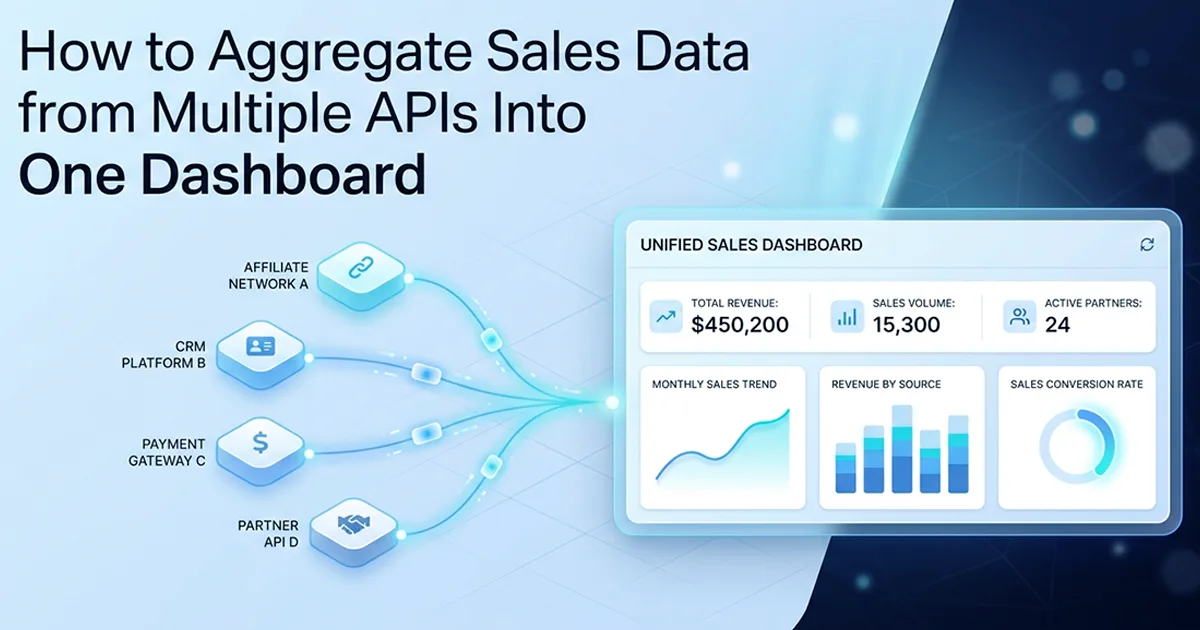
Why Direct API Integration Breaks Down at the Second Network
Calling each affiliate API directly inside dashboard components creates coupling that forces a core rewrite every time a new source arrives—and one slow or failing network blocks every chart on the page. The adapter layer normalizes 6 networks into one schema, upserts on 3-field keys, finishes hourly cron syncs within Vercel's 60-second Pro limit, and feeds 10 tools from one Postgres database. Platform totals from production: 10 tools, 6 networks, $20-60/month AI spend, 58,641 lines, 4-month solo build.
See also: tool registry pattern for multi-tool SaaS.
The naive approach and where it cracks
My first instinct was a switch statement: if network === 'CLICKBANK' call ClickBank, else if network === 'DIGISTORE24' call Digistore24. That worked for one network. By network three, the dashboard component imported six different HTTP clients, six date parsers, and six error handlers. ClickBank returns XML-flavored JSON with receipt numbers; Hotmart paginates with cursor tokens; JVZoo authenticates with API keys in query strings. Tight coupling meant every new network touched the sync route, the dashboard page, and the summary cards.
No failure isolation, no shared normalization
Worse: when BuyGoods timed out during a page load, the entire earnings summary threw—ClickBank data never rendered either. There was no shared NormalizedSale shape, so refund status on one network lived in a different field name than commission amount on another. Hassan Raza on hassanr.com documents the fix I shipped on the platform: a NetworkAdapter interface in src/features/sales-tracking/adapters/ where ClickBank, Digistore24, BuyGoods, MaxWeb, JVZoo, and Hotmart each become one file implementing the same contract. The sync orchestrator only ever talks to NetworkAdapter[]—never to network-specific classes.
The affiliate marketing SaaS I built serves operators who run campaigns across every major network simultaneously. They do not care that ClickBank paginates differently from Hotmart—they care that total earnings, refund rate, and thirty-day trend lines load in under a second. Direct API integration optimizes for the wrong metric: it makes the developer's first network easy and every subsequent network expensive. Adapter architecture inverts that curve—network one costs a day to define the interface, network six costs an afternoon.
The Adapter Interface: One Contract for Six Networks
Define a TypeScript NetworkAdapter interface that every network adapter must implement—the sync orchestrator only ever talks to this interface, never to network-specific code.
What the interface defines
Three responsibilities per adapter: expose a readonly network enum value, implement fetchSales(credentials, since?) returning NormalizedSale[], and implement testConnection(credentials) returning boolean. Credentials carry decrypted apiKey, optional accountId, optional secretKey—decrypted server-side with AES-256-GCM before any adapter runs, matching the credential encryption pattern elsewhere on the platform. Keys never reach the client.
Why interface-first matters — the mistake I made
I wrote the ClickBank adapter before defining NetworkAdapter. Digistore24 shipped with slightly different method signatures—fetchSales took a string date instead of Date, testConnection returned error objects instead of boolean. When the sync orchestrator landed, it needed explicit branches per adapter. Refactoring both to match a shared interface cost a week. The remaining four adapters took hours each instead of days once the contract existed. The interface IS the architecture for pluggable systems.
NormalizedSale fields map directly to AffiliateSale columns: externalOrderId, network, amount, status, productName, optional customerEmail, saleDate. Keeping the adapter output type aligned with the Prisma create payload means upsertSale stays a thin pass-through—no second mapping layer, no DTO explosion between fetch and persist.
// src/features/sales-tracking/adapters/types.ts

export enum AffiliateNetwork {
  CLICKBANK = 'CLICKBANK',
  DIGISTORE24 = 'DIGISTORE24',
  BUYGOODS = 'BUYGOODS',
  MAXWEB = 'MAXWEB',
  JVZOO = 'JVZOO',
  HOTMART = 'HOTMART',
}

export type SaleStatus = 'PENDING' | 'APPROVED' | 'CANCELLED' | 'REFUNDED'

export interface NormalizedSale {
  externalOrderId: string
  network: AffiliateNetwork
  amount: number
  status: SaleStatus
  productName: string
  customerEmail?: string
  saleDate: Date
}

export interface NetworkCredentials {
  apiKey: string
  accountId?: string
  secretKey?: string
}

/** Every affiliate network adapter implements this contract — and nothing else. */
export interface NetworkAdapter {
  readonly network: AffiliateNetwork
  fetchSales(credentials: NetworkCredentials, since?: Date): Promise<NormalizedSale[]>
  testConnection(credentials: NetworkCredentials): Promise<boolean>
}

export interface SyncResult {
  network: AffiliateNetwork
  success: boolean
  recordsSynced: number
  error?: string
}

/**
 * Orchestrator accepts NetworkAdapter[] — never imports ClickBankAdapter directly.
 * Adding network #7 = push one new adapter instance into this array.
 */
export async function syncUserNetworks(
  userId: string,
  adapters: NetworkAdapter[],
  getCredentials: (network: AffiliateNetwork) => Promise<NetworkCredentials | null>
): Promise<SyncResult[]> {
  const results: SyncResult[] = []
  for (const adapter of adapters) {
    const credentials = await getCredentials(adapter.network)
    if (!credentials) continue
    try {
      const sales = await adapter.fetchSales(credentials)
      for (const sale of sales) {
        await upsertSale(userId, sale) // idempotent — see Code Block 3
      }
      results.push({ network: adapter.network, success: true, recordsSynced: sales.length })
    } catch (error) {
      results.push({
        network: adapter.network,
        success: false,
        recordsSynced: 0,
        error: error instanceof Error ? error.message : 'Unknown sync error',
      })
    }
  }
  return results
}
Define the interface before writing a single adapter. The interface IS the architecture. Once you have NetworkAdapter and NormalizedSale, every network file is just an implementation detail—and your sync orchestrator never changes when network seven arrives.
Registry assembly stays deliberately boring: an adapters array in src/features/sales-tracking/adapters/index.ts exports clickBankAdapter, digistore24Adapter, buyGoodsAdapter, maxWebAdapter, jvZooAdapter, hotmartAdapter as NetworkAdapter instances. The cron route imports that array once. Network seven means export one new class and push it into the array—syncUserNetworks, upsertSale, and dashboard queries remain untouched. That single-file-per-network rule is the operational payoff of interface-first design.
What a Single Adapter Looks Like
Each adapter is one TypeScript file that takes credentials, calls one network's API, and returns a NormalizedSale array—fetch and normalize, nothing else.
The adapter's only job
Adapters do not write to Postgres, do not render charts, do not decrypt credentials—that happens upstream. They translate foreign API shapes into NormalizedSale and throw typed errors when auth fails versus when the network is down. Pagination, rate limits, and date filtering quirks stay encapsulated inside the file.
Handling network-specific quirks
Some networks filter by modified-since timestamps; others need receipt date ranges in local timezone. Some expose customer email; others never will—customerEmail stays optional on NormalizedSale. The dashboard never branches on these differences; it reads network and trusts the normalized fields.
// src/features/sales-tracking/adapters/generic-partner-adapter.ts
// Generic example — not tied to a real network's API surface

import {
  AffiliateNetwork,
  NetworkAdapter,
  NetworkCredentials,
  NormalizedSale,
  SaleStatus,
} from './types'

export class AuthError extends Error {
  constructor(message: string) {
    super(message)
    this.name = 'AuthError'
  }
}

export class GenericPartnerAdapter implements NetworkAdapter {
  readonly network = AffiliateNetwork.MAXWEB // example enum slot

  /**
   * Fetch raw sales from partner API and normalize into shared shape.
   * @param since — incremental sync cursor; omit for full backfill
   */
  async fetchSales(
    credentials: NetworkCredentials,
    since?: Date
  ): Promise<NormalizedSale[]> {
    const params = new URLSearchParams({ api_key: credentials.apiKey })
    if (since) params.set('modified_since', since.toISOString())
    if (credentials.accountId) params.set('account_id', credentials.accountId)

    const response = await fetch(
      `https://api.example-partner.com/v2/sales?${params.toString()}`
    )

    if (response.status === 401 || response.status === 403) {
      throw new AuthError('Invalid API credentials for partner network')
    }
    if (!response.ok) {
      throw new Error(`Partner API unavailable: HTTP ${response.status}`)
    }

    const payload = (await response.json()) as { data: RawSale[] }
    return payload.data.map((raw) => this.normalizeRecord(raw))
  }

  /** Lightweight ping — validates credentials without full pagination. */
  async testConnection(credentials: NetworkCredentials): Promise<boolean> {
    try {
      const params = new URLSearchParams({
        api_key: credentials.apiKey,
        limit: '1',
      })
      const response = await fetch(
        `https://api.example-partner.com/v2/sales?${params.toString()}`
      )
      return response.ok
    } catch {
      return false
    }
  }

  private normalizeRecord(raw: RawSale): NormalizedSale {
    return {
      externalOrderId: String(raw.order_id),
      network: this.network,
      amount: Number(raw.commission_amount),
      status: this.normalizeStatus(raw.payment_status),
      productName: raw.product_title ?? 'Unknown product',
      customerEmail: raw.buyer_email ?? undefined,
      saleDate: new Date(raw.transaction_date),
    }
  }

  private normalizeStatus(raw: string): SaleStatus {
    const map: Record<string, SaleStatus> = {
      pending: 'PENDING',
      paid: 'APPROVED',
      cancelled: 'CANCELLED',
      refunded: 'REFUNDED',
    }
    return map[raw.toLowerCase()] ?? 'PENDING'
  }
}

interface RawSale {
  order_id: string | number
  commission_amount: string | number
  payment_status: string
  product_title?: string
  buyer_email?: string
  transaction_date: string
}
Each adapter normalizes into the same NormalizedSale shape. The dashboard never knows which network a sale came from until it reads the network field. That composability is what lets six affiliate sources share one earnings trend chart and one recent-sales table without conditional rendering spaghetti.
If I rebuilt today, I would use an abstract base class sharing retry logic, rate-limit backoff, and credential validation—interfaces alone forced each of six files to reimplement ~40% identical error-handling code. The contract would stay identical; inheritance would just deduplicate boilerplate.
Unit testing becomes trivial once adapters conform to one interface. I mock NetworkAdapter with a stub fetchSales returning three NormalizedSale rows, pass it to syncUserNetworks, and assert upsertSale received the correct externalOrderId values—no HTTP mocking across six different base URLs. That testability is why the adapter pattern wins over inline fetch calls even when you only have two networks on day one.
Idempotent Import: Why Duplicate Prevention Is Harder Than It Looks
An idempotent sync uses a composite unique key on userId, network, and externalOrderId to upsert every record—so the hourly cron can run one hundred times and produce the same database state.
The naive approach and why it creates duplicates
findFirst then create feels safe until two Vercel Cron invocations overlap. Both queries return null for the same ClickBank receipt; both insert; you have duplicate rows with identical externalOrderId values until a human notices refund math is wrong. Performance suffers too—two round trips per sale instead of one.
The Prisma upsert approach
@@unique([userId, network, externalOrderId]) defines the idempotency key. upsert with userId_network_externalOrderId where clause is one atomic operation. The update block refreshes status and amount when PENDING becomes APPROVED or when refunds adjust commission—externalOrderId never changes, so corrections land on the same row.
Consider a ClickBank receipt that arrives PENDING on Monday and flips APPROVED on Wednesday. Without upsert update semantics, you either duplicate the row or miss the status transition entirely. The create block runs once; every subsequent sync hits update with fresh status and amount. Refund rate calculations on the dashboard depend on that correctness—double-counting approved sales inflates earnings; missing refunds hides churn.
// prisma/schema.prisma (excerpt)

model AffiliateSale {
  id              String   @id @default(cuid())
  userId          String
  network         String
  externalOrderId String
  amount          Decimal
  status          String
  productName     String
  customerEmail   String?
  saleDate        DateTime
  syncedAt        DateTime @updatedAt

  user User @relation(fields: [userId], references: [id])

  @@unique([userId, network, externalOrderId])
}

// src/features/sales-tracking/services/upsert-sale.ts

import { prisma } from '@/lib/db'
import type { NormalizedSale } from '../adapters/types'

/**
 * Idempotent write — safe under concurrent cron runs.
 * update handles status transitions (PENDING → APPROVED) and refund corrections.
 */
export async function upsertSale(userId: string, sale: NormalizedSale) {
  return prisma.affiliateSale.upsert({
    where: {
      userId_network_externalOrderId: {
        userId,
        network: sale.network,
        externalOrderId: sale.externalOrderId,
      },
    },
    update: {
      status: sale.status,
      amount: sale.amount,
      syncedAt: new Date(),
    },
    create: {
      userId,
      network: sale.network,
      externalOrderId: sale.externalOrderId,
      amount: sale.amount,
      status: sale.status,
      productName: sale.productName,
      customerEmail: sale.customerEmail,
      saleDate: sale.saleDate,
    },
  })
}
Never use check-then-insert for multi-source data sync. Between the check and the insert, a concurrent sync run can insert the same record. Prisma upsert is a single atomic database operation—use it for every NormalizedSale import.
The Cron Sync: Per-Network Failure Isolation
The hourly cron at /api/cron/sync-sales iterates every user-plus-network combination, catches failures per account, and continues syncing all others—one broken credential never blocks ClickBank because Hotmart auth expired.
The sync loop
Each hourly tick loads active users with connected AffiliateNetworkAccount rows, decrypts credentials in memory, resolves the matching adapter from a registry array, and calls syncUserNetworks. Results aggregate as SyncResult objects: { network, success, recordsSynced, error? }. Admins see per-network health in the dashboard—green when synced recently, yellow when delayed, red when credentials fail validation.
Incremental sync with since dates
Each adapter receives since from lastSuccessfulSync per network—not epoch zero every hour. ClickBank might fetch receipts modified in the last sixty minutes; Digistore24 might use a transaction cursor. Incremental fetch keeps cron duration predictable as history grows. SALES_TRACKING_DRY_RUN env variable skips Postgres writes during adapter development—useful when a network's API docs are thinner than others and you need to log raw payloads first.
Backfill and incremental sync share the same code path—only the since argument changes. First connection passes undefined and adapters paginate full history within reasonable limits; subsequent hourly runs pass lastSyncAt minus a five-minute overlap buffer to catch late-arriving status corrections. That overlap prevents edge-case misses when network clocks drift or receipts post minutes after the prior cron tick closed.
Error isolation and CRON_SECRET protection
try/catch wraps each adapter invocation inside the loop—not the entire loop body. BuyGoods rate limit logs an error string, records success: false, and the orchestrator moves to JVZoo. The route checks Authorization: Bearer CRON_SECRET or x-vercel-cron header before running—without that gate, anyone could trigger a six-network API stampede against your credential store. This operational layer complements the adapter pattern described in my earlier six-network dashboard walkthrough; that post covers Recharts and strategic insights—this one covers the import contract that makes those charts trustworthy.
Each SyncResult feeds back into AffiliateNetworkAccount.lastSyncAt on success and stores error messages on failure. The dashboard health badge reads that metadata—operators see red on Hotmart without Digistore24 going yellow because an unrelated network hiccuped. That per-account granularity is only possible when the sync loop treats adapters as independent units rather than one monolithic fetchAllNetworks() function.
Why the Dashboard Never Calls Live APIs — and How to Aggregate Multiple API Responses Dashboard Next.js Without Blocking the UI
The dashboard reads only from the local AffiliateSale table—it never calls network APIs directly, which keeps page loads fast, deterministic, and usable when BuyGoods is down.
Sync layer vs display layer
Summary cards show total earnings, sale count, average order value, and refund rate—all Prisma aggregations. Platform earnings break down per network with health badges. A thirty-day Recharts LineChart plots rolling commission; a BarChart shows monthly bars for yearly performance. Recent sales table lists the last twenty rows across all six sources. Strategic insights derive from local data—ClickBank might represent sixty-five percent of revenue—without another HTTP round trip.
Health status indicators
Green means synced within the last two hours. Yellow means delayed but credentials still valid. Red means testConnection failed—user needs to re-enter API keys through the encrypted onboarding flow. Health reads sync metadata, not live ping endpoints, so the UI stays responsive even when external APIs lag.
Server Components query AffiliateSale with where: { userId: session.user.id } scoped filters—same multi-tenant isolation pattern I use across the platform. Summary cards run COUNT and SUM aggregations in one Prisma round trip. The thirty-day LineChart buckets saleDate by UTC day in application code because Prisma lacks native date_trunc—identical bucketing approach to my link tracker analytics. Yearly BarChart groups by calendar month for seasonality views. None of these components import adapter files or call fetch against affiliate endpoints.
| Without Adapter Pattern | With Adapter Pattern | |
|---|---|---|
| Add a new network | Modify sync core + dashboard | Add one new file |
| API failure impact | All networks fail together | Only that network fails |
| Dashboard speed | Slow (live API calls) | Fast (local DB reads) |
| Unit testability | Hard (tangled API calls) | Easy (mock one adapter) |
| Code duplication | High (each network reinvents normalization) | Zero (shared NormalizedSale type) |
| Status updates on sync | Complex conditional logic | Simple upsert — always correct |
| Time to add network #7 | Days | Hours |
The sync is async and background. The dashboard is fast and deterministic. Mixing them — live API calls in dashboard components — is the root cause of slow, flaky SaaS dashboards. Keep the data fresh in the background and serve it instantly from your own database.
The sync runs correctly on the platform today. Incremental fetch is implemented for most adapters. Some networks ship sparser API documentation—I note gaps in adapter file comments rather than pretending parity. When you aggregate multiple API responses dashboard Next.js founders actually open daily, the win is not clever chart code—it is boring, repeatable imports behind an interface you defined before writing line one of ClickBank integration.
Start with NetworkAdapter and NormalizedSale. Ship one adapter. Prove upsert idempotency under concurrent cron. Only then wire Recharts—the display layer is easy once the import layer is correct.
Frequently Asked Questions
Use adapter implementations behind a shared NetworkAdapter interface, sync normalized rows into Postgres, then aggregate multiple API responses in a Next.js dashboard from local tables—not live calls. Hassan Raza built this for six affiliate networks on hassanr.com: each adapter in src/features/sales-tracking/adapters/ returns NormalizedSale arrays, an hourly Vercel Cron route upserts AffiliateSale rows, and Recharts reads the local database for thirty-day trends. Adding network seven means one new file implementing fetchSales and testConnection—zero dashboard rewrites. Credentials decrypt server-side with AES-256-GCM before adapters run, never in the browser.
The adapter pattern defines one interface first—callers depend on the contract, not concrete API implementations. Hassan Raza's NetworkAdapter interface exposes fetchSales(credentials, since?) and testConnection(credentials) for every affiliate source. ClickBank, Digistore24, BuyGoods, MaxWeb, JVZoo, and Hotmart each ship as one TypeScript file conforming to that contract. The sync orchestrator accepts NetworkAdapter[] and never imports network-specific classes—pluggable, mockable, isolated. Adding network seven takes hours because the interface IS the architecture; changing core sync logic is unnecessary.
Use a composite unique key on userId, network, and externalOrderId with Prisma upsert—one atomic operation, no duplicates across concurrent sync runs. Hassan Raza stores affiliate sales with @@unique([userId, network, externalOrderId]) and upserts via userId_network_externalOrderId where clauses. Never check-then-insert: concurrent hourly cron jobs race and duplicate rows. The update block refreshes status and amount when PENDING becomes APPROVED or refunds land—same externalOrderId, corrected fields, zero second rows.