
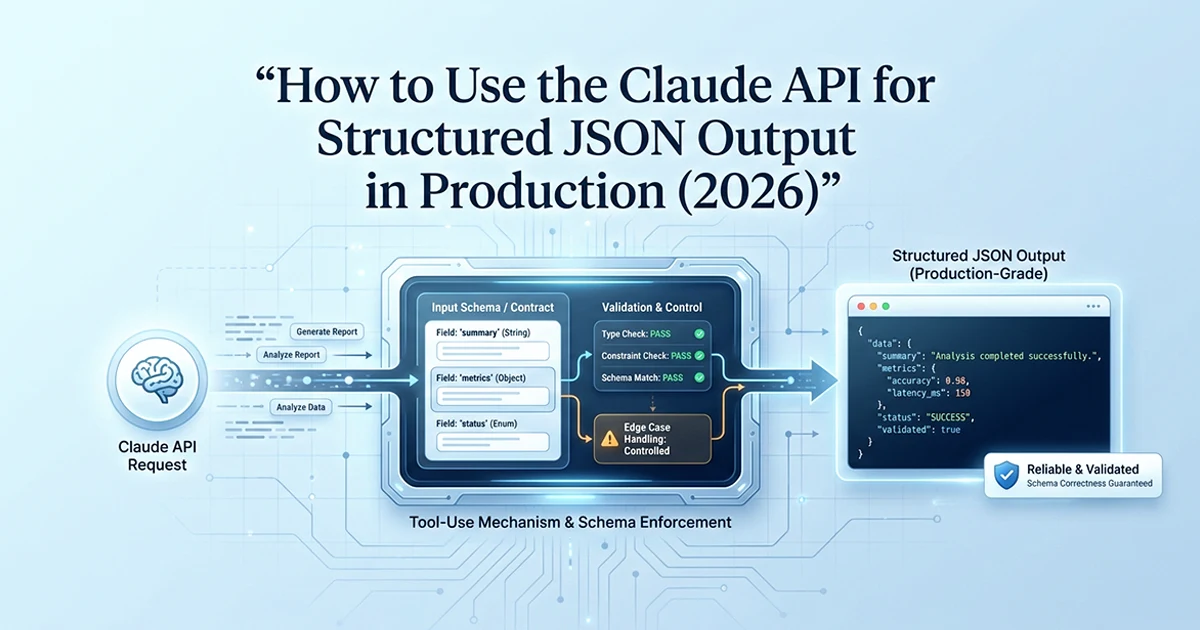
Why Prompt-Only Structured Output Breaks in Production
Telling Claude to "respond only in JSON" works about 95% of the time — but at 1000 requests per day, that 5% failure rate is 50 broken responses and 50 customer-facing errors.
See also: production RAG pipeline without LangChain and GPT-4o vs Gemini Flash cost comparison.
I have shipped structured extraction pipelines across Claude, Gemini, and GPT-4o in production SaaS systems. Prompt-only JSON instructions feel fine in development — ten test calls, all parse cleanly. Scale to 1000 requests per day and the math catches up: 5% failure × 1000 = 50 broken responses daily. These failures are silent. JSON.parse() throws a SyntaxError, your pipeline crashes, the customer sees a generic 500 error, and the API log shows a Claude response that looks almost correct — except Claude prepended "Here's the JSON you requested:" before the object.
The four failure modes I see with prompt-only structured output:
- Claude prepends text:
Here's the JSON you requested:\n{...} - Claude wraps in markdown:
```json\n{...}\n``` - Claude appends explanation after the JSON:
{...}\nNote: I've included... - Claude partially complies: correct JSON with an extra wrapper field you did not ask for
Teams often try to fix this with regex extraction or a "strip markdown fences" post-processor. That works until Claude returns valid JSON inside a prose explanation, or nests the object inside an unexpected wrapper key like {"result": {...}}. At that point you are maintaining a brittle parser that grows with every new failure shape. Forced tool_use eliminates the parsing step entirely — the API returns a typed object in block.input, not a string you must salvage.
The comparison table below summarizes how Claude, Gemini, and GPT-4o handle structured output in 2026. All three reach about 99% reliability when you use their forced-mode APIs — tool_choice for Claude, generateObject for Gemini, json_object or function calling for GPT-4o. Prompt-only instructions sit at about 95% across all three. Cost differs sharply: Gemini Flash at roughly $0.075 per million tokens versus Claude Sonnet 4.6 at $3 input / $15 output per million tokens. I pick Claude when schema nuance and debuggability matter more than raw token cost.
| Claude (tool_use) | Gemini (generateObject) | GPT-4o (json_object / tools) | |
|---|---|---|---|
| Method | tool_use + forced tool_choice | Vercel AI SDK generateObject | response_format: json_object OR tools |
| Schema format | JSON Schema | Zod (directly) | JSON Schema |
| Reliability (forced) | ✅ ~99% | ✅ ~99% | ✅ ~99% |
| Reliability (prompt-only) | ⚠️ ~95% | ⚠️ ~95% | ⚠️ ~95% |
| Zod integration | Manual (zod-to-json-schema) | ✅ Native in SDK | Manual |
| Streaming structured | ✅ input_json_delta | ✅ streamObject | ✅ Streaming |
| Best DX | Raw SDK — explicit | Vercel AI SDK — cleanest | OpenAI SDK — familiar |
| Cost at 1M tokens | $3 in / $15 out (Sonnet 4.6) | ~$0.075 (Gemini Flash) | $2.50 / $10 (4o) |
The difference between tool_use and prompt-only structured output is the difference between a contract and a gentlemen's agreement. Prompt-only works 95% of the time — until you're in production at 2am. Forced tool_use works 99%+ of the time, and when it fails, the failure mode is explicit, not silent.
The silent failures are the most dangerous. JSON.parse() throws a SyntaxError — but the customer sees a generic 500 error, the API log shows a Claude response, and it is not obvious that Claude added "Here's your JSON:" before the actual JSON. Always use tool_use for production structured output.
The tool_use Pattern: How to Force Structured Output From Claude
Define a tool with your desired JSON structure as the input_schema, then set tool_choice to force Claude to always invoke it — the structured data arrives in response.content[].input, not as text.
This Anthropic Claude API structured output JSON production 2026 pattern is the one I default to for Claude-specific integrations. The structured data never passes through free text — it lands directly in the tool_use block's input field as a parsed object.
The two critical parameters
tools: defines your JSON Schema as a tool's input_schema. Claude sees a "function" whose parameters match your desired output shape. tool_choice: {"type": "tool", "name": "structured_output"} forces Claude to invoke that tool — not optional function calling, not "maybe use the tool." Without forced tool_choice, Claude may respond with text instead. With it, Claude always returns a tool_use block with your schema filled.
from anthropic import Anthropic

client = Anthropic()


def get_structured_output(
    prompt: str,
    schema: dict,
    system: str = "You are a helpful AI assistant.",
    model: str = "claude-sonnet-4-6",
) -> dict:
    """
    Force structured JSON output from Claude using tool_use.
    tool_choice guarantees Claude always invokes the tool.
    """
    response = client.messages.create(
        model=model,
        max_tokens=1024,
        system=system,
        tools=[{
            "name": "structured_output",
            "description": "Return the required structured data exactly as specified.",
            "input_schema": schema,   # JSON Schema format
        }],
        tool_choice={"type": "tool", "name": "structured_output"},  # forced
        messages=[{"role": "user", "content": prompt}],
    )
    # Iterate content blocks — tool_use may not be first
    for block in response.content:
        if block.type == "tool_use":
            return block.input
    raise ValueError(f"No tool_use block. Stop reason: {response.stop_reason}")


# Example usage
result = get_structured_output(
    prompt="Extract the company name, founded year, and sector from: 'Anthropic, founded 2021, AI safety company'",
    schema={
        "type": "object",
        "properties": {
            "company": {"type": "string", "description": "Company name"},
            "founded": {"type": "integer", "description": "Year founded"},
            "sector": {"type": "string", "description": "Industry sector"},
        },
        "required": ["company", "founded", "sector"],
    },
)
# {"company": "Anthropic", "founded": 2021, "sector": "AI safety"}
The JSON Schema format (not Zod, not Pydantic)
Claude's input_schema accepts JSON Schema — not Zod, not Pydantic natively. Types: "string", "integer", "number", "boolean", "array", "object". The required array prevents Claude from returning incomplete objects. Field descriptions guide output quality — Claude reads them when populating fields.
Add a description to every field in the schema. Claude reads these descriptions to understand what to populate. A field without a description may be misunderstood or populated incorrectly. The tool description (the outer one) also matters — it tells Claude what the tool is for.
I default to claude-sonnet-4-6 for structured extraction — fast enough for real-time API routes, accurate enough for nuanced field population. Set max_tokens based on expected output size: 1024 covers most extraction schemas; bump to 2048 or 4096 when your schema includes long arrays or nested objects. Claude does not accept temperature the same way for tool_use calls — the schema constraint already limits output variance, which is what you want for deterministic extraction pipelines.
The outer tool description string is not cosmetic. I write it as a one-line instruction: "Extract company metadata from the user text" or "Return sentiment analysis with confidence score." Claude uses this alongside field-level descriptions when deciding how to populate ambiguous inputs. A vague description like "Return data" produces vaguer outputs than a specific one tied to your use case.
TypeScript Implementation With Zod and zod-to-json-schema
In TypeScript, define your schema with Zod, convert to JSON Schema with the zod-to-json-schema package, pass to Claude's input_schema, and parse the returned tool input with Zod — giving you full TypeScript type safety.
import Anthropic from "@anthropic-ai/sdk";
import { z } from "zod";
import { zodToJsonSchema } from "zod-to-json-schema";

const client = new Anthropic();

async function getStructuredOutput<T>(
    prompt: string,
    schema: z.ZodSchema<T>,
    system = "You are a helpful AI assistant.",
    model = "claude-sonnet-4-6",
): Promise<T> {
    // Step 1: Convert Zod schema to JSON Schema for Claude
    const fullJsonSchema = zodToJsonSchema(schema, { name: "Output" });
    const inputSchema = (fullJsonSchema as any).definitions?.Output ?? fullJsonSchema;

    // Step 2: Call Claude with forced tool_use
    const response = await client.messages.create({
        model,
        max_tokens: 1024,
        system,
        tools: [{
            name: "structured_output",
            description: "Return the required structured data exactly as specified.",
            input_schema: inputSchema,
        }],
        tool_choice: { type: "tool", name: "structured_output" },
        messages: [{ role: "user", content: prompt }],
    });

    // Step 3: Extract the tool_use block
    for (const block of response.content) {
        if (block.type === "tool_use") {
            // Step 4: Zod parse validates structure AND provides TypeScript types
            return schema.parse(block.input);
        }
    }
    throw new Error(`No tool_use block. Stop reason: ${response.stop_reason}`);
}

const CompanySchema = z.object({
    company: z.string().describe("Company name"),
    founded: z.number().int().describe("Year founded"),
    sector: z.string().describe("Industry sector"),
    isPublic: z.boolean().describe("Whether the company is publicly traded"),
});

type Company = z.infer<typeof CompanySchema>;

const result: Company = await getStructuredOutput(
    "Extract from: 'Anthropic, founded 2021, private AI safety company'",
    CompanySchema,
);
Why Zod validates even after forced tool_use
Claude's tool_use is schema-constrained but not schema-validated. If the schema says "integer" for founded but Claude returns the string "2021", the raw block.input still contains the wrong type. schema.parse() catches this and throws a ZodError. JSON Schema constrains; Zod validates. Two layers — both needed in production.
The zod-to-json-schema conversion nuance
zodToJsonSchema() wraps the schema in a definitions object. The schema you need is at definitions.Output when you pass { name: "Output" }. The (fullJsonSchema as any).definitions?.Output ?? fullJsonSchema pattern handles both named and unnamed conversions. Pass the wrong shape to input_schema and Claude rejects the request before generation starts.
Install three packages for the TypeScript stack: @anthropic-ai/sdk, zod, and zod-to-json-schema. Define one Zod schema per extraction type — reuse it for both the API call and downstream TypeScript types via z.infer<typeof Schema>. When schema.parse(block.input) throws a ZodError, log the raw block.input alongside the validation errors. That tells you whether Claude returned the wrong type (string instead of integer) or omitted a required field — two different fixes.
The claude-sonnet structured output TypeScript workflow gives you compile-time types and runtime validation from a single schema definition. No duplicate interface declarations, no manual JSON Schema maintenance separate from your TypeScript types. Change the Zod schema once — both the API constraint and the TypeScript type update together.
The Three Edge Cases That Break ~3% of Production Calls
Three failure modes occur even with forced tool_use — always iterate response.content to find the tool_use block, add field descriptions to prevent empty inputs, and check stop_reason when no tool_use block is found.
from anthropic import Anthropic

client = Anthropic()


def get_structured_output_robust(
    prompt: str,
    schema: dict,
    model: str = "claude-sonnet-4-6",
    max_retries: int = 2,
) -> dict:
    for attempt in range(max_retries + 1):
        response = client.messages.create(
            model=model,
            max_tokens=1024,
            tools=[{
                "name": "structured_output",
                "description": "Return the required structured data exactly.",
                "input_schema": schema,
            }],
            tool_choice={"type": "tool", "name": "structured_output"},
            messages=[{"role": "user", "content": prompt}],
        )

        # Edge case 1: Iterate all blocks — don't assume tool_use is first
        tool_block = None
        for block in response.content:
            if block.type == "tool_use":
                tool_block = block
                break

        # Edge case 3: No tool_use block at all (refusal or unexpected behavior)
        if tool_block is None:
            if attempt < max_retries:
                continue
            raise ValueError(
                f"No tool_use block after {max_retries + 1} attempts. "
                f"Stop reason: {response.stop_reason}"
            )

        # Edge case 2: Empty input ({}) — schema descriptions were insufficient
        if not tool_block.input:
            if attempt < max_retries:
                continue
            raise ValueError(
                "Claude returned empty tool input. "
                "Add field descriptions to the schema to guide Claude."
            )

        return tool_block.input

    raise RuntimeError("Exhausted retries without structured output")
Edge case 1 — text block + tool_use block together
Claude sometimes returns a TextBlock explaining what it is doing before the tool_use block. Accessing response.content[0] assumes the first block is tool_use — wrong. Iterating response.content finds the tool_use block regardless of position.
Edge case 2 — empty tool input
Root cause: schema has required fields but the prompt does not provide the data to populate them. Fix: add descriptions to every schema field. Validate that the prompt actually contains the data you are trying to extract before blaming the model.
Edge case 3 — stop_reason: end_turn without tool_use
Very rare. Happens when Claude declines the request — content policy, harmful prompt, etc. stop_reason will be end_turn and response.content will contain text blocks only. With forced tool_choice, stop_reason should normally be tool_use. Log the full response when this occurs.
Wrap the robust handler in your API route with structured logging: log stop_reason, attempt count, and whether the failure was empty input versus missing tool_use block. Track these as separate metrics — empty input usually means a schema or prompt problem you can fix; missing tool_use after retries may indicate a content policy hit you should surface to the user differently than a generic 500.
Retries on empty tool input are safe — same prompt, same schema, Claude may populate correctly on the second attempt. Retries on content policy refusals are not — the prompt will fail again. Check stop_reason and response text before retrying blindly.
Claude vs Gemini vs GPT-4o: Structured Output in Practice
All three providers can deliver reliable structured output — the difference is API design: Claude uses tool_use + JSON Schema, Gemini's Vercel AI SDK uses Zod schemas directly, and GPT-4o has both JSON mode and function calling.
The Gemini comparison (from a real project)
In an affiliate marketing SaaS I built, structured extraction runs on Gemini via the Vercel AI SDK:
import { generateObject } from "ai";
import { google } from "@ai-sdk/google";

const { object } = await generateObject({
    model: google("gemini-2.5-flash"),
    schema: CompanySchema,   // Zod schema directly — no conversion step
    prompt: "Extract from: 'Anthropic, founded 2021, private AI safety company'",
});
Advantage of the Gemini/SDK approach: Zod schema used directly, no zodToJsonSchema conversion. Advantage of Claude's approach: more explicit, visible in API logs, no meta-framework dependency. I choose Claude when field descriptions and schema nuance matter most; Gemini when the Vercel AI SDK stack is already in place.
When to choose each provider for structured output
Claude (claude-sonnet-4-6): best for complex extraction where field descriptions matter — nuanced schemas with enums, nested objects, and conditional fields. Gemini: best with the Vercel AI SDK — cleanest DX, direct Zod integration, lowest cost at scale. GPT-4o: best for teams already in the OpenAI ecosystem or when Assistants API features are needed.
For GPT-4o, you have two paths. Option A: response_format: { type: "json_object" } — requires your system prompt to mention JSON, and suffers the same ~95% prompt-only reliability if you rely on text parsing. Option B: OpenAI function calling with tool_choice forced to a specific function — structurally identical to Claude's tool_use pattern. I use Claude tool_use when the product runs on Anthropic; I use GPT-4o function calling when the rest of the stack is OpenAI-native. The Claude vs GPT-4o structured output decision is mostly an ecosystem choice — the reliability pattern is the same: force the tool, iterate content blocks, validate with Zod or Pydantic downstream.
Creator Dropp runs Gemini for high-volume affiliate data extraction because cost at 1000+ daily requests matters. Internal admin tools that need complex nested schemas with detailed field descriptions run on Claude because I can inspect every tool_use block in the Anthropic console and debug schema mismatches without guessing what the SDK did under the hood.
Advanced Patterns: Nested Schemas, Arrays, and Streaming
Claude's tool_use supports nested object schemas, arrays, and optional fields — and structured output can be streamed for large responses using the input_json_delta event.
Nested schemas and arrays
nested_schema = {
    "type": "object",
    "properties": {
        "company": {"type": "string", "description": "Company name"},
        "founders": {
            "type": "array",
            "description": "List of company founders",
            "items": {
                "type": "object",
                "properties": {
                    "name": {"type": "string", "description": "Founder full name"},
                    "role": {"type": "string", "description": "Founder role or title"},
                },
                "required": ["name", "role"],
            },
        },
    },
    "required": ["company", "founders"],
}
Arrays of objects work the same way — define the item schema inside items. Claude populates nested structures reliably when field descriptions are present at every level.
Optional fields — don't put them in required
Fields not in the required array are optional — Claude will not always populate them. If a field might genuinely be absent from the source text, mark it optional and validate downstream. Do not put optional fields in required and expect Claude to invent values.
Streaming structured output
For large structured responses, use the streaming API with input_json_delta events — the tool input builds progressively. The synchronous pattern in this post covers about 95% of production use cases. Streaming matters when your schema produces responses that exceed a few hundred tokens — think multi-page document extraction with arrays of entities, or generating a structured report with a summary field and a long evidence array.
Streaming tool_use uses the same forced tool_choice parameter. You listen for content_block_start with type tool_use, then accumulate input_json_delta partial JSON fragments until content_block_stop. Parse the assembled JSON with Zod or Pydantic after the stream completes — do not parse partial JSON mid-stream unless you are building a progressive UI that renders fields as they arrive.
Enum fields in JSON Schema — "enum": ["positive", "negative", "neutral"] — constrain Claude to valid values at generation time. Combine enums with field descriptions for best results: the enum limits the value set, the description tells Claude how to decide which value applies. I use this pattern for sentiment labels, category taxonomies, and severity ratings in production pipelines where invalid enum values would break downstream business logic.
Hassan Raza documents production AI patterns — structured output across Claude, Gemini, and GPT-4o, RAG pipelines, multi-tool SaaS architecture — across posts on hassanr.com.
Frequently Asked Questions
Use tool_use with a forced tool_choice parameter. Define a tool with your desired JSON structure as the input_schema in JSON Schema format. Set tool_choice to {type: "tool", name: "tool_name"} to force Claude to always use it. Extract structured data from response.content — iterate all blocks, find block.type === "tool_use", then access block.input. Add field descriptions to the schema for better output quality. This achieves about 99% structural reliability versus about 95% for prompt-only JSON instructions.
Claude uses tool_use with JSON Schema: define the schema, set tool_choice to force it, and extract block.input from the response. Gemini via the Vercel AI SDK uses generateObject with a Zod schema directly — the SDK handles the mechanism, and Zod is used natively without conversion. Reliability is comparable at about 99% both. Claude's approach is more explicit in API logs; Gemini's SDK approach has cleaner DX. For TypeScript with Claude, you need zod-to-json-schema for conversion.
Convert your Zod schema to JSON Schema with zod-to-json-schema for Claude's input_schema, then call schema.parse(block.input) on the returned tool_use block. This gives two-layer validation: JSON Schema constrains what Claude can return, Zod validates what it actually returned at runtime. Define schemas with z.describe() on fields to guide Claude's output quality. If schema.parse() throws, the tool_use block contains data that does not match your schema — handle this in error handling.