
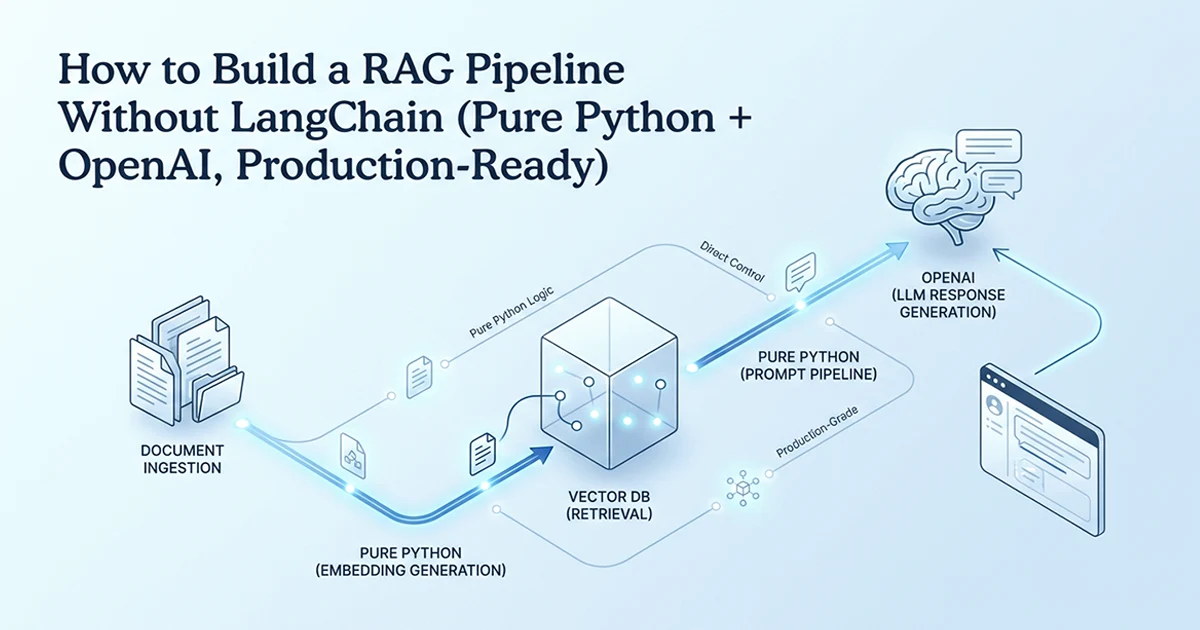
Why Production RAG Needs Full Control, Not a Framework
LangChain is excellent for prototyping — for production RAG, building from scratch gives you debuggable code, stable dependencies, and the ability to optimize every step independently.
See also: Claude structured JSON output in production and GPT-4o API cost optimization.
I have shipped retrieval-augmented generation systems for SaaS products where uptime and debuggability matter more than demo speed. LangChain wraps the same five operations every RAG pipeline performs — but adds Document → TextSplitter → Embeddings → VectorStore → Retriever → Chain between your code and the database. Each layer has its own class, config format, and error surface. When retrieval returns empty results at 3am, the stack trace goes through six framework abstractions before reaching code you recognise.
Three specific LangChain problems I have seen in production:
- Breaking changes: LangChain upgrades between 2023 and 2024 broke production RAG systems multiple times — import paths moved, class names changed, retriever interfaces shifted.
- Debug opacity: Finding which layer swallowed your empty result requires reading framework source, not your own code.
- Over-abstraction: Loading a PDF in LangChain needs three imports and a loader class. Raw Python needs one
open()call.
LangChain is not bad. It is the wrong default for production debugging. Build from scratch first, then adopt frameworks with full understanding of what they wrap. I still reach for LangChain when a client needs a ReAct agent demo in an afternoon — but I never deploy LangChain RAG to production without rewriting the retrieval layer in plain Python first.
The maintenance cost of framework abstractions compounds. Every LangChain version bump is a potential production incident. Every retriever config change requires reading release notes across three nested packages. When your RAG pipeline is five functions you wrote, a dependency update affects only the OpenAI SDK and psycopg2 — both stable, well-documented libraries with predictable semver.
| LangChain | From Scratch | |
|---|---|---|
| Setup time | ~30 min | ~2–3 hours |
| Lines of visible code | ~30 + framework internals | ~200 (all yours) |
| Debug on failure | Through 5+ abstraction layers | Directly in your code |
| Dependency stability | Frequent breaking changes (2023–2024) | You control it |
| Optimization control | Limited by framework conventions | Unlimited |
| Multi-agent support | ✅ Excellent | ❌ Significant work |
| Production debuggability | ⚠️ Poor | ✅ Excellent |
| Best use case | Prototyping, agents | Production RAG, full control |
The best moment to understand LangChain is after you've built a RAG pipeline without it. Once you know what each step does — chunking, embedding, storage, retrieval, generation — LangChain becomes a shortcut you understand, not a black box you depend on.
The Five Steps Every RAG Pipeline Has (Framework or Not)
Every RAG system — whether built with LangChain or from scratch — performs the same five operations: chunk documents, embed chunks, store vectors, retrieve on query, and generate with context.
- Document ingestion + chunking: split source text into retrievable pieces
- Embedding generation: convert chunks to vector representations (1536 dimensions with text-embedding-3-small)
- Vector storage: persist vectors alongside their source text
- Retrieval: find the most relevant chunks for a user query
- Generation: combine retrieved context with the query and call GPT-4o
This framing lets you map existing LangChain knowledge to a from-scratch implementation. LangChain's TextSplitter is step 1. OpenAIEmbeddings is step 2. PGVector is step 3. The retriever is step 4. The chain is step 5. Same pipeline — different packaging.
The ingestion pipeline I run in production looks like this: read source documents (PDF, markdown, HTML), extract plain text, pass through chunk_text(), batch-embed with embed_texts(), insert each chunk with metadata (source filename, page number, tenant ID). Query time runs the reverse: embed the question, search, filter, generate. Both paths share the same embedding model and the same vector table — symmetry that makes debugging straightforward.
Why the chunking step determines quality more than the vector DB
Most developers optimise the vector database choice — pgvector vs Pinecone vs Chroma — and under-invest in chunking. The database affects infrastructure: latency, cost, durability. The chunking strategy affects what the model can retrieve and use. A perfect vector search over badly chunked documents still produces weak answers. I tune chunk size and overlap before I tune index parameters.
Overlap of 50–100 characters prevents sentences from falling between chunk boundaries. Without overlap, a sentence split at character 500 appears truncated in one chunk and orphaned in the next — neither chunk is fully retrievable by semantic search. With 50-character overlap, the boundary sentence appears complete in both adjacent chunks. The storage cost is modest; the retrieval quality improvement is significant.
Steps 1-2: Chunking and Embedding — The Foundation That Determines Quality
Chunk at 400–600 characters with 50–100 character overlap to prevent information from falling between chunk boundaries, and use text-embedding-3-small (not ada-002) — it is both cheaper and more accurate.
This RAG pipeline without LangChain Python OpenAI production 2026 approach treats chunking and embedding as the foundation — get these wrong and no amount of vector database tuning saves you.
from openai import AsyncOpenAI

client = AsyncOpenAI()


def chunk_text(text: str, chunk_size: int = 500, overlap: int = 50) -> list[str]:
    """
    Split text into overlapping chunks.
    chunk_size: 400-600 chars is the sweet spot for most content
    overlap: 50-100 chars prevents info falling between chunk boundaries
    """
    chunks = []
    start = 0
    while start < len(text):
        end = start + chunk_size
        chunk = text[start:end].strip()
        if len(chunk) > 50:    # filter near-empty chunks
            chunks.append(chunk)
        start = end - overlap
    return chunks


async def embed_texts(
    texts: list[str],
    model: str = "text-embedding-3-small",
) -> list[list[float]]:
    """
    Generate embeddings for a list of texts.
    text-embedding-3-small: 1536 dimensions, $0.02/1M tokens
    Cheaper and more accurate than ada-002 on most benchmarks.
    """
    BATCH_SIZE = 100          # batch up to 2048 texts per API call
    all_embeddings: list[list[float]] = []
    for i in range(0, len(texts), BATCH_SIZE):
        batch = texts[i:i + BATCH_SIZE]
        response = await client.embeddings.create(input=batch, model=model)
        all_embeddings.extend([item.embedding for item in response.data])
    return all_embeddings
Why chunk size matters
Too small (<200 chars): a chunk lacks context — "the result was positive" without knowing what "the result" refers to. Too large (>1000 chars): retrieval returns too much irrelevant content alongside the relevant sentence, diluting the signal. I default to 500 characters with 50 overlap — adjust per content type after testing 20 sample queries against your actual document corpus.
Why text-embedding-3-small over ada-002
text-embedding-3-small costs roughly 5× less than ada-002 per token — about $0.02 per 1M tokens. Same 1536 dimensions. Higher scores on MTEB retrieval benchmarks. There is no production reason to use ada-002 in 2026. Default to small; upgrade to text-embedding-3-large only if quality testing shows a measurable gap on your specific documents. For a 10,000-chunk knowledge base, embedding costs stay under a dollar — the model choice matters less than chunk quality for answer accuracy.
Embed both the query and the stored chunks with the SAME model. Mixing models (ada-002 for storage, text-embedding-3-small for queries) produces meaningless similarity scores — the embeddings live in different vector spaces.
Step 3: The Vector Store — pgvector for Production, Chroma for Local Dev
Use pgvector in production (PostgreSQL extension, no separate service, ACID, durable) and Chroma locally (zero setup, in-memory, ideal for experiments).
If your SaaS already runs on PostgreSQL, pgvector adds vector search without a new service to monitor. You can JOIN document metadata with user records, tenant IDs, and access control in the same query. Chroma is excellent for local prototyping — three lines to create a collection and query it — but it is not designed for production scale as a separate dependency.
The metadata JSONB column stores per-chunk context: source document ID, page number, section heading, upload timestamp. At query time, you can filter retrieval to a specific tenant or document set before ranking by similarity — a pattern that is awkward in standalone vector databases but natural in PostgreSQL with a WHERE clause on metadata fields.
import json
import psycopg2
from typing import Any


def setup_documents_table(conn: psycopg2.extensions.connection) -> None:
    """Create the documents table with vector column."""
    with conn.cursor() as cur:
        cur.execute("CREATE EXTENSION IF NOT EXISTS vector")
        cur.execute("""
            CREATE TABLE IF NOT EXISTS documents (
                id       SERIAL PRIMARY KEY,
                content  TEXT     NOT NULL,
                embedding vector(1536),           -- matches text-embedding-3-small
                metadata JSONB    DEFAULT '{}'
            )
        """)
        # ivfflat index: faster approximate search
        # lists=100 is good for up to 1M vectors
        cur.execute("""
            CREATE INDEX IF NOT EXISTS documents_embedding_idx
            ON documents USING ivfflat (embedding vector_cosine_ops)
            WITH (lists = 100)
        """)
        conn.commit()


def insert_document(
    conn: psycopg2.extensions.connection,
    content: str,
    embedding: list[float],
    metadata: dict[str, Any] = {},
) -> None:
    with conn.cursor() as cur:
        cur.execute(
            "INSERT INTO documents (content, embedding, metadata) VALUES (%s, %s::vector, %s)",
            (content, embedding, json.dumps(metadata)),
        )
        conn.commit()


def search_similar(
    conn: psycopg2.extensions.connection,
    query_embedding: list[float],
    limit: int = 5,
) -> list[dict[str, Any]]:
    """
    Find the most similar documents using cosine distance.
    <=> is pgvector cosine distance (lower = more similar)
    1 - (<=> result) = cosine similarity (higher = more similar, max 1.0)
    """
    with conn.cursor() as cur:
        cur.execute("""
            SELECT content, metadata, 1 - (embedding <=> %s::vector) AS similarity
            FROM documents
            ORDER BY embedding <=> %s::vector
            LIMIT %s
        """, (query_embedding, query_embedding, limit))
        return [
            {"content": row[0], "metadata": row[1], "similarity": float(row[2])}
            for row in cur.fetchall()
        ]
The ivfflat index — approximate but fast
ivfflat partitions vectors into lists (clusters) and searches only the nearest clusters. lists=100 means 100 clusters — a good balance of speed vs accuracy for up to 1M vectors. For exact search (always correct, slower): skip the index or use HNSW at larger scale. For most SaaS RAG workloads, ivfflat at lists=100 is the right default until profiling says otherwise. Rebuild the index after bulk ingestion — ivfflat cluster centroids shift when you add large document batches.
Chroma for local development
For quick local experiments, Chroma replaces the SQL setup entirely:
import chromadb
client = chromadb.Client()
collection = client.create_collection("docs")
collection.add(documents=chunks, embeddings=embeddings, ids=[str(i) for i in range(len(chunks))])
results = collection.query(query_embeddings=[query_embedding], n_results=5)
Three lines to store, one to query. Use this for prototyping; switch to pgvector before production. The dimension count must match your embedding model — 1536 for text-embedding-3-small. Mismatch between stored and queried dimensions causes silent search failures or runtime errors depending on the client library.
Steps 4-5: Retrieval, Threshold Filtering, and the Generation Prompt
Retrieval is just a similarity search — the production-critical addition is a threshold filter (0.7 cosine similarity minimum) that prevents the model from generating from weakly-relevant context.
SYSTEM_PROMPT = """You are a helpful assistant.
Answer the question based ONLY on the provided context.
If the context does not contain enough information to answer the question fully,
say: "I don't have enough information in the provided context to answer this."
Do not use knowledge from your training data beyond what is in the context."""


async def rag_query(
    query: str,
    conn: psycopg2.extensions.connection,
    top_k: int = 5,
    threshold: float = 0.7,
) -> str:
    # Step 4a: Embed the query with the SAME model used for storage
    query_embedding = (await embed_texts([query]))[0]

    # Step 4b: Retrieve candidate documents
    raw_results = search_similar(conn, query_embedding, limit=top_k)

    # Step 4c: Filter by similarity threshold — prevents weak context hallucination
    docs = [r for r in raw_results if r["similarity"] >= threshold]
    if not docs:
        return "I couldn't find relevant information to answer your question."

    # Step 5a: Build context string from retrieved chunks
    context = "\n\n---\n\n".join(
        f"[Source {i+1}, relevance: {doc['similarity']:.0%}]\n{doc['content']}"
        for i, doc in enumerate(docs)
    )

    # Step 5b: Generate answer with context-only constraint
    response = await client.chat.completions.create(
        model="gpt-4o",
        messages=[
            {"role": "system", "content": SYSTEM_PROMPT},
            {"role": "user", "content": f"Context:\n{context}\n\nQuestion: {query}"},
        ],
        temperature=0.1,   # low = factual, not creative
        max_tokens=500,
    )
    return response.choices[0].message.content
The 0.7 threshold — why it matters
Without a threshold: a query about "machine learning" returns documents about "washing machines" at 0.3 similarity. The model has weak context but generates a confident answer — hallucination by dilution. With 0.7: only documents genuinely relevant to the query are included. If nothing passes the threshold, return "no information found" — honest. Calibration: run 50 test queries against your document set, plot similarity scores, and find the threshold where false positives drop. 0.7 is a starting point, not a universal truth.
Include similarity scores in the context string — [Source 1, relevance: 85%] — so you can debug why a particular chunk surfaced during development. In production logs, log the top-k similarity scores for every query. When users report wrong answers, the log tells you immediately whether retrieval failed (low scores) or generation failed (high scores but wrong synthesis).
Temperature 0.1 for RAG — why not 0?
Temperature 0 produces identical responses every time for identical context — fine for testing, stiff for users. Temperature 0.1 allows slight variation for readability without creative drift into training data. Never use temperature above 0.3 for RAG — higher values cause the model to supplement context with parametric knowledge, exactly what the system prompt tries to prevent.
The SYSTEM_PROMPT constraint — "answer based ONLY on the provided context" — is the second safeguard after threshold filtering. Without it, GPT-4o supplements weak retrieval with training data knowledge, producing answers that sound authoritative but cite nothing from your documents. The explicit fallback phrase — "I don't have enough information in the provided context" — gives the model permission to refuse rather than invent. I log every refusal response; a high refusal rate signals chunking or threshold problems, not model failure.
Without the threshold filter, your RAG system will hallucinate confidently on queries that have no relevant documents. The model generates based on whatever context you give it — if the context is weakly relevant, the output looks confident but wrong. 0.7 is your safeguard.
When to Use LangChain Anyway (An Honest Guide)
Use LangChain for rapid prototyping, multi-agent systems, and when speed-to-demo matters more than debuggability — use the from-scratch approach for production RAG where you need full control and stable dependencies.
What LangChain is genuinely good at
Multi-step agent chains — ReAct loops, tool-calling agents, planner-executor patterns — where the complexity justifies the abstraction. Building this from scratch is significant work; LangChain's agent primitives earn their cost here. Rapid prototyping where a working demo in 30 minutes matters more than production quality. Team onboarding where LangChain's conventions provide shared vocabulary across engineers who did not write the original pipeline. None of these apply to straightforward document Q&A retrieval.
The testing approach before choosing
Build from scratch first. Then build the same pipeline with LangChain. Compare: time to implement, debug surface area, lines you need to understand when something breaks. For straightforward document Q&A RAG, scratch wins on debug surface every time. For multi-agent chains with tool use, LangChain's abstractions start to earn their maintenance cost. The goal is fluency in both — not picking a team and defending it.
The complete from-scratch implementation spans about 200 lines across five functions — chunk_text, embed_texts, setup_documents_table, insert_document, search_similar, and rag_query as the orchestrator. Dependencies: openai and psycopg2. No LangChain, no LlamaIndex, no vector database SDK beyond pgvector SQL. When something breaks, the stack trace points to line 47 of your file, not line 847 of a framework wrapper.
Hassan Raza documents production AI patterns — RAG pipelines, async job systems, multi-tool SaaS architecture — across posts on hassanr.com. If you are integrating retrieval into a product with an SLA, start with the five functions above and add complexity only where measurement proves you need it.
Frequently Asked Questions
Build five functions in about 200 lines of Python. Use chunk_text() to split text into overlapping chunks (500 chars, 50 overlap), embed_texts() to call OpenAI text-embedding-3-small, and setup/insert/search functions to manage a pgvector table. The rag_query() orchestrator embeds the query, retrieves similar documents, filters by a 0.7 similarity threshold, injects context, and generates with GPT-4o at temperature 0.1. Use the same embedding model for both storage and queries. The complete implementation needs only openai and psycopg2 — no framework dependencies.
You need five functions: chunk_text to split text, embed_texts for OpenAI embeddings, insert_document to store vectors in pgvector, search_similar for cosine distance queries, and rag_query as the orchestrator. In practice, about 200 lines with type hints and comments. A minimal version without type hints is closer to 100 lines. For Chroma instead of pgvector, skip SQL setup and use collection.query() — roughly 80 lines for a local prototype.
Use LangChain when speed to demo matters most, when building multi-step agent chains like ReAct or tool use, or when your team needs framework conventions. Build from scratch when you need production SLAs, full stack trace visibility for debugging, stable dependencies, or custom optimization of specific steps like chunking or reranking. The recommended path: build from scratch first to understand every step, then evaluate LangChain for features it genuinely adds — not as a default starting point.