
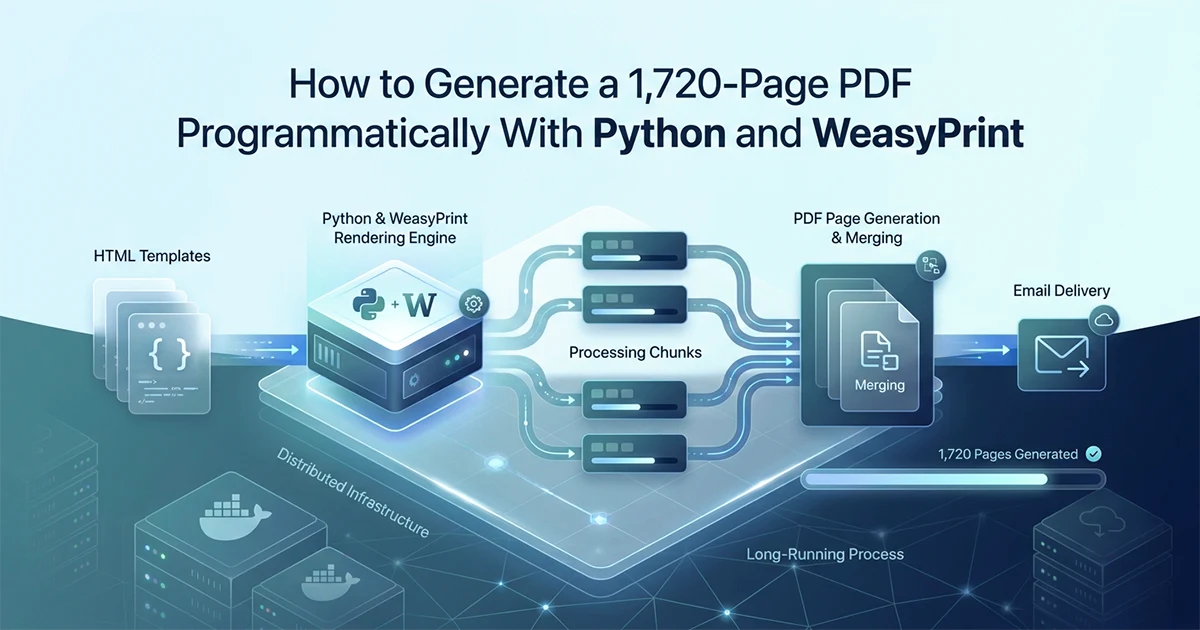
Why WeasyPrint for HTML-First PDF Generation
WeasyPrint converts HTML and CSS directly to PDF — if your content is already structured as HTML, it is the most natural Python PDF tool because you design in a browser and render to PDF without learning a separate layout API.
See also: emailing large AI-generated PDFs.
I built an AI report generation SaaS where GPT-4o produces structured text — headings, paragraphs, Q&A pairs — that maps cleanly to HTML. ReportLab would require translating every section into Platypus flowables programmatically. pdfkit wraps wkhtmltopdf, a separate binary that is painful to bundle in Docker. WeasyPrint is pure Python with system dependencies, accepts HTML strings, and respects print CSS — the same CSS I preview in a browser before deploying template changes.
The choice came down to authoring workflow: my content pipeline already produces HTML-shaped data structures from AI calls. Converting that to ReportLab flowables would duplicate layout logic I already express in Jinja2 templates and print CSS. WeasyPrint lets me iterate on design in a browser, copy the CSS into the template directory, and render identical output in production — provided I handle chunking and Docker font bundling correctly.
The platform has three PDF products at different scales: a small report (~15–25 pages, ~50 KB) rendered in a single pass; a medium report (~33 pages, ~300 KB) chunked into six PDF parts; and a large report at 1,725 pages and ~14 MB assembled from 173 WeasyPrint chunks. All three share the same renderer module in app/services/pdf/renderer.py — only the orchestration path differs. Small reports call render_pdf() directly. Medium and large reports call build_large_pdf(), which loops render_pdf_chunk() and finishes with merge_pdf_chunks() from app/services/pdf/merger.py.
| WeasyPrint | ReportLab | pdfkit | |
|---|---|---|---|
| Input format | HTML + CSS | Python layout API | HTML (via wkhtmltopdf) |
| Learning curve | Low (if you know HTML/CSS) | High (proprietary layout model) | Low |
| Python-native | ✅ Pure Python | ✅ Pure Python | ❌ Needs wkhtmltopdf binary |
| CSS support | Full (print subset) | N/A | Full (wkhtmltopdf's engine) |
| Large documents | ✅ With chunking | ✅ Native streaming | ❌ Memory issues |
| Docker support | ✅ (system deps required) | ✅ No extra deps | ❌ wkhtmltopdf complex to bundle |
| Color emoji | ❌ Broken — use Unicode | ✅ Via emoji fonts | Depends on system |
| Page numbers | ✅ Via @page counter | ✅ Manual | ✅ Via wkhtmltopdf options |
| Best for | HTML-first structured reports | Precise programmatic layout | Simple, fast HTML → PDF |
When WeasyPrint is NOT the right choice
WeasyPrint is wrong for interactive PDF forms with fillable fields, for high-fidelity vector graphics where pixel-level positioning matters more than HTML authoring convenience, and for documents where layout is defined entirely in Python rather than CSS. If your team already knows ReportLab and your output is invoices or shipping labels with fixed coordinates, stay with ReportLab. If your content is AI-generated rich text rendered through Jinja2 templates — as on hassanr.com and the platform I built — WeasyPrint is the correct default.
The Chunked Rendering Architecture: How to Generate 1,725 Pages Without OOM
The only safe way to generate very large PDFs with WeasyPrint is to render in small chunks (10 sections per render), then merge the chunks into one PDF using pypdf — never render all sections in a single WeasyPrint call.
Why a single render_pdf() call will crash your worker
WeasyPrint loads the entire HTML document, applies CSS layout to every page simultaneously, and peaks at 1.5–2× the final PDF size in RAM during layout. For 1,725 pages at ~14 MB output, that means 1.5–2 GB peak memory — a guaranteed OOM on any cloud worker under 4 GB if you try to render everything at once. I discovered this on a Render starter plan (512 MB RAM) when a naive render_pdf(all_sections) call killed the worker mid-generation. The customer had paid; the PDF never assembled. Progress logging every 25 chunks is the only visibility I have during the 173-render loop — structlog entries like pdf_render_progress rendered=25 total=173 — but customers see nothing until the email arrives hours later.
The large report breaks down as: one overall cover, four section covers, 1,460 daily content pages (365 days × 4 pages/day), 208 weekly pages (52 weeks × 4), 48 monthly pages (12 months × 4), and four yearly overview pages — 1,725 total. Each page holds five Q&A items via _build_period_pages(). At CHUNK_SIZE=10 sections per chunk, that produces 173 WeasyPrint renders before merge.
The OOM guard pattern
The defensive guard at the entry to render_pdf() raises ValueError if len(sections) > OOM_GUARD_THRESHOLD — currently 30 — forcing all callers onto the chunked path for large documents. A naive developer will call render_pdf() with 1,000 sections and OOM immediately. The guard raises before WeasyPrint touches memory, with a message pointing to render_pdf_chunk(). OOM_GUARD_THRESHOLD is conservative for a 512 MB starter plan where a standard plan (2 GB) can handle roughly 100 sections single-pass. Set the threshold based on your deployment plan RAM, not the theoretical maximum.
Set your OOM guard threshold conservatively — 30 sections is the maximum for a 512 MB starter plan. A standard plan (2 GB) can handle ~100 sections single-pass. Set the threshold based on your deployment plan, not the theoretical maximum. The large report worker on my platform runs on Render's standard plan specifically because PDF assembly alone peaks at 1.5–2 GB during 173-chunk assembly.
The Renderer: Jinja2 Templates → WeasyPrint → PDF Bytes
Each PDF chunk is one Jinja2 template render plus one WeasyPrint HTML-to-PDF conversion, returning raw bytes that are later merged — never written to disk during the render loop. This is the generate PDF programmatically Python WeasyPrint production pattern I use across all three report products.
The Jinja2 + WeasyPrint pipeline
# app/services/pdf/renderer.py

import os
import structlog
from weasyprint import HTML
from jinja2 import Environment, FileSystemLoader

from app.services.pdf.merger import merge_pdf_chunks

logger = structlog.get_logger()

BASE_DIR = os.path.dirname(os.path.abspath(__file__))
TEMPLATES_DIR = os.path.join(BASE_DIR, "templates")
ASSETS_DIR = os.path.join(BASE_DIR, "assets")

jinja_env = Environment(loader=FileSystemLoader(TEMPLATES_DIR))

CHUNK_SIZE = 10          # sections per WeasyPrint render — safe for 2 GB workers
OOM_GUARD_THRESHOLD = 30   # max sections for single-pass on 512 MB starter plans


def render_pdf(sections: list[dict], template_name: str) -> bytes:
    if len(sections) > OOM_GUARD_THRESHOLD:
        raise ValueError(
            f"render_pdf called with {len(sections)} sections. "
            f"Use render_pdf_chunk() for documents over {OOM_GUARD_THRESHOLD} sections."
        )
    template = jinja_env.get_template(template_name)
    html_content = template.render(sections=sections, assets_dir=ASSETS_DIR)
    return HTML(string=html_content, base_url=ASSETS_DIR).write_pdf()


def render_pdf_chunk(sections_chunk: list[dict], template_name: str) -> bytes:
    template = jinja_env.get_template(template_name)
    html_content = template.render(sections=sections_chunk, assets_dir=ASSETS_DIR)
    return HTML(string=html_content, base_url=ASSETS_DIR).write_pdf()


def build_large_pdf(all_sections: list[dict], template_name: str) -> bytes:
    chunks = [
        all_sections[i : i + CHUNK_SIZE]
        for i in range(0, len(all_sections), CHUNK_SIZE)
    ]
    chunk_bytes_list: list[bytes] = []

    for idx, chunk in enumerate(chunks):
        pdf_bytes = render_pdf_chunk(chunk, template_name)
        chunk_bytes_list.append(pdf_bytes)
        if (idx + 1) % 25 == 0:
            logger.info("pdf_render_progress", rendered=idx + 1, total=len(chunks))

    return merge_pdf_chunks(chunk_bytes_list)
Why base_url matters
WeasyPrint resolves relative paths — font files, images, CSS imports — relative to base_url. Pass the assets directory as base_url so @font-face paths like url("fonts/Lato-Regular.ttf") resolve correctly. Without this, fonts silently fall back to system defaults — fine on macOS during local development, broken on a Docker container with no system fonts installed. The medium report uses the same pattern: fifty Q&A sections grouped into chunks of ten, five WeasyPrint renders, six PDF chunks merged by pypdf. Each chunk returns raw bytes held in memory only until its pages append to the PdfWriter — nothing writes to disk during the render loop, which keeps I/O predictable on ephemeral cloud filesystems.
After assembly, the final PDF uploads to Vercel Blob via httpx.put to https://blob.vercel-storage.com/{filename} with a 60-second timeout. The public URL stores in MongoDB and appears in the delivery email. Individual reports attach the PDF as base64 in SendGrid email using inline HTML templates — not dynamic SendGrid templates. The ~14 MB large report attaches directly (well within SendGrid's 30 MB limit) plus includes a Vercel Blob download link as backup if the attachment fails client-side.
CSS for Print: The Properties WeasyPrint Actually Cares About
WeasyPrint supports a specific subset of CSS — @page, page-break-*, @font-face, and print-specific properties work correctly; CSS Grid and CSS variables have limited support and should be avoided for complex layouts.
The essential print CSS properties
/* Page size, margins, and running page numbers */
@page {
  size: A4;
  margin: 2cm 2cm 2.5cm 2cm;
  @bottom-right {
    content: counter(page);
    font-family: "Lato", sans-serif;
    font-size: 10pt;
    color: #888;
  }
}

/* Body text — bundled, not system font */
@font-face {
  font-family: "Lato";
  src: url("fonts/Lato-Regular.ttf") format("truetype");
}

/* Headings — bundled serif for section covers */
@font-face {
  font-family: "Playfair Display";
  src: url("fonts/PlayfairDisplay-Bold.ttf") format("truetype");
  font-weight: bold;
}

/* Fallback for special characters missing from Lato */
@font-face {
  font-family: "Noto Sans";
  src: url("fonts/NotoSans-Regular.ttf") format("truetype");
}

/* Section cover pages start on a fresh page */
.section-cover {
  page-break-before: always;
  page-break-after: always;
}

/* Keep Q+A pairs together — never split across pages */
.qa-item {
  page-break-inside: avoid;
}

/* Minimum lines at top/bottom of page breaks */
.section-content {
  widows: 3;
  orphans: 3;
}
CSS properties to avoid in WeasyPrint
CSS Grid: limited and broken in WeasyPrint — use flexbox or float-based layouts instead. CSS variables (--custom-property): not supported in WeasyPrint ≤62 — inline all values directly. background-image: supported but increases file size significantly on 1,725-page documents. box-shadow: rendered but slow — minimize on large documents where every millisecond per page compounds across 173 chunks. WeasyPrint-specific properties that do work well: overflow-wrap for long AI-generated words, widows and orphans for paragraph integrity, and float clearing for side-by-side Q&A layouts. Test every CSS change inside Docker — WeasyPrint on macOS and WeasyPrint in production do not render identically.
Merging PDF Chunks With pypdf (Without Re-Rendering)
pypdf's PdfWriter merges pre-rendered PDF chunks by appending pages — it never re-renders content, so the merge operation is fast and memory-constant regardless of the total page count.
# app/services/pdf/merger.py

import io
from pypdf import PdfWriter, PdfReader


def merge_pdf_chunks(chunk_bytes_list: list[bytes]) -> bytes:
    writer = PdfWriter()

    for chunk_bytes in chunk_bytes_list:
        reader = PdfReader(io.BytesIO(chunk_bytes))
        for page in reader.pages:
            writer.add_page(page)
        # reader goes out of scope here — chunk bytes eligible for GC

    output = io.BytesIO()
    writer.write(output)
    return output.getvalue()
PdfWriter.add_page() copies the page object — it does not re-render HTML. For 173 chunks averaging ten pages each, this merge is a fast binary operation, not a layout recomputation. Total merge time: seconds, not minutes. The small report skips chunking entirely — fifteen to twenty-five pages fits comfortably inside the OOM guard and renders via a single render_pdf() call returning ~50 KB. The architectural split is simple: if len(sections) <= OOM_GUARD_THRESHOLD, single pass; otherwise, build_large_pdf() with chunking and merge.
Memory profile during merge
Each chunk's bytes load into a PdfReader, pages copy into the writer, and the reader is discarded before the next chunk. Peak memory equals the largest chunk bytes × 2 (read buffer plus copy) — far lower than WeasyPrint rendering. Do not load all 173 chunks into memory simultaneously before merging.
Process chunks sequentially, not all at once. Feed them one at a time into the writer: render chunk → append pages → discard chunk bytes. This keeps memory constant regardless of final PDF size. Parallel chunk rendering with asyncio would spike RAM to 173× chunk size and crash the worker — the same OOM failure mode as single-pass rendering, just distributed differently.
Generate in chunks. Merge with pypdf. Never re-render the full document. The same architecture that assembles a 1,725-page PDF from 173 chunks works for any large document — the key is treating chunking as a first-class concern from day one, not a patch you add when the worker crashes.
Two Deployment Gotchas That Will Break WeasyPrint on Docker
Color emoji silently break in WeasyPrint on Docker (no color font), and missing system fonts cause WeasyPrint to fall back to wrong fonts — both are invisible in local development and obvious in production.
Gotcha 1 — Color emoji don't render in WeasyPrint on Docker
macOS and Windows ship system color emoji fonts — Apple Color Emoji, Segoe UI Emoji. Docker containers running python:3.11-slim do not. My original templates used color emoji icons (✨, 🌙) as visual separators between Q&A sections. WeasyPrint rendered them as empty boxes and garbled glyphs on Docker. The fix: replace all color emoji with Unicode text symbols — bullets, dashes, section markers — and plain-text alternatives. SVG icons embedded as base64 in HTML work if you need visual flair, but keep them small; 173 chunks with heavy inline SVG inflate render time. I discovered the emoji issue in production after deployment — it is not obvious in local dev because macOS system fonts handle emoji natively. Test inside a Docker container before shipping, not just on your laptop.
Gotcha 2 — System fonts don't exist in Docker
WeasyPrint on Docker falls back to DejaVu or Liberation Serif when your specified font is not found. The PDF renders but looks completely wrong — different weight, different spacing, different character coverage. The fix: bundle ALL fonts in your project assets directory and load via @font-face with exact TTF paths. Pass the assets directory as base_url to HTML().
app/services/pdf/assets/
├── fonts/
│   ├── Lato-Regular.ttf
│   ├── Lato-Bold.ttf
│   ├── PlayfairDisplay-Bold.ttf
│   └── NotoSans-Regular.ttf
└── images/
If I were building again, I would add streaming progress updates to the client during chunk assembly — not just structlog entries every 25 chunks. Customers have no visibility into PDF progress after AI generation completes; they just wait. A webhook-based progress system (chunk 25/173, chunk 50/173) would improve UX significantly. Hassan Raza documents the Celery worker architecture that runs this pipeline on hassanr.com.
Add WeasyPrint's system dependencies to your Dockerfile. WeasyPrint requires cairo, pango, and gdk-pixbuf. On python:3.11-slim:
RUN apt-get update && apt-get install -y \
    libcairo2 libpango-1.0-0 libpangocairo-1.0-0 \
    libgdk-pixbuf2.0-0 libffi-dev shared-mime-info
Without these, WeasyPrint imports successfully but fails silently or with cryptic cairo errors when it tries to render the first PDF.
Frequently Asked Questions
Render in small chunks and merge with pypdf — never pass the full document to WeasyPrint in one call. Hassan Raza assembles 1,725-page PDFs using CHUNK_SIZE=10 sections per render_pdf_chunk(), producing 173 chunks merged sequentially with pypdf. Set an OOM guard in render_pdf() that raises ValueError if len(sections) > 30, forcing callers onto the chunked path. Peak RAM during assembly hits 1.5–2 GB — use a standard cloud plan (≥2 GB), not a 512 MB starter. Process chunks sequentially: render one chunk, append pages, discard bytes before starting the next. Parallel chunk rendering causes RAM spikes that crash workers.
WeasyPrint converts HTML and CSS to PDF; ReportLab uses a Python layout API instead. Hassan Raza chose WeasyPrint for an AI report SaaS because content is already HTML-shaped — design in a browser, render to PDF without learning Platypus. ReportLab excels at pixel-precise programmatic layout but requires a separate layout model. WeasyPrint needs Docker system deps (cairo, pango, gdk-pixbuf); ReportLab has zero system dependencies. On Docker, WeasyPrint breaks color emoji; ReportLab handles emoji via font embedding. For HTML-first structured reports with Jinja2 templates, WeasyPrint wins. For forms, precise vector graphics, or layout defined entirely in Python, ReportLab wins.
Use Jinja2 for HTML templates and WeasyPrint for HTML-to-PDF conversion. Load templates with FileSystemLoader, render sections into HTML strings, then pass to HTML(string=html_content, base_url=assets_dir).write_pdf(). The base_url must point to your assets directory so @font-face font paths resolve — without it, Docker falls back to DejaVu. Bundle all fonts (Lato, Playfair Display, Noto) via @font-face; never rely on system fonts. Use @page for A4 size and margins, page-break-inside: avoid on Q&A blocks. For large reports, loop section groups through render_pdf_chunk() and merge with pypdf — one chunk at a time.