
Why Most Businesses Think AI Requires a Full Team (It Doesn't)
AI integration today requires zero ML engineers, zero data scientists, and zero custom model training. It requires API calls, prompting knowledge, and a developer who understands your business workflow.
See also: AI content tools for affiliate marketers and multi-tool registry architecture.
When I started building the affiliate marketing SaaS, the client asked if we needed to hire someone with machine learning experience. The answer was no. I used Google Gemini 2.5 Flash the same way I'd use a payment API or an email service — I sent it a prompt via HTTP, got back structured JSON, validated it with Zod, and stored it in PostgreSQL.
The entire stack ran on Next.js 16 with TypeScript. The AI portion was 9 service functions that called generateContent from the Gemini SDK. No TensorFlow. No model fine-tuning. No GPU instances. The hard part was designing prompts that produced reliable, policy-aware outputs for affiliate ads and building a rate limiter that prevented users from burning through API quotas.
Businesses avoid AI because they see headlines about training models on millions of rows of data and assume that's the barrier to entry. It's not. The barrier is knowing which repetitive, text-heavy or image-heavy tasks in your workflow can be automated with an API call, then building a UI around that call with error handling, retries, and user feedback.
Three Business Functions AI Replaced in One Platform
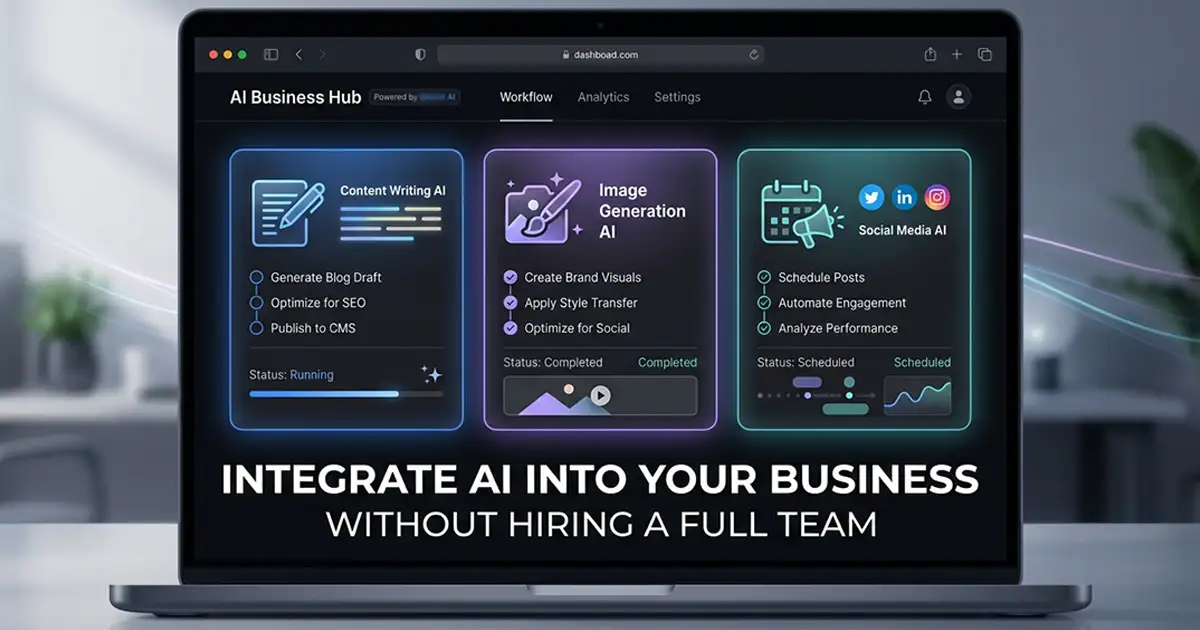
On the affiliate marketing SaaS I built, AI replaced the copywriter, graphic designer, and social media manager. 9 tools, 3 business functions, one platform.
| Business Function | Before (Manual) | After (AI) | What AI Does Now |
|---|---|---|---|
| Ad Copywriter | $800–$2,000/month freelance | $15–$40/month API cost | Facebook ads, Instagram captions, YouTube scripts |
| Graphic Designer | $1,000–$3,000/month freelance | $20–$60/month API cost | Profile images, covers, ad creatives (1:1, 16:9, 4:5) |
| Social Media Manager | $500–$1,500/month part-time | $10–$30/month API cost | Page setup wizards, content ideas, brand voice |
| Analytics/Tracking | $200–$500/month VA | $0 (self-hosted) | Automated sales sync from 6 affiliate networks |
| Total | $2,500–$7,000/month | $45–$130/month | Full content + tracking workflow |
The platform tracked sales from ClickBank, Digistore24, BuyGoods, MaxWeb, JVZoo, and Hotmart. Users connected their affiliate accounts, and the system pulled earnings data every hour via Vercel Cron. The 9 AI tools covered Facebook, Instagram, and YouTube content creation.
Every tool followed the same 6-step architecture pattern. That's why adding the ninth tool took less than a day — the pipeline was already built.
Replacing the Copywriter: AI Ad Copy and Content Generation
Writing policy-compliant Facebook ad copy for affiliate offers is a specific skill. Facebook rejects ads with sensational claims, exaggerated results, or misleading hooks. A freelance copywriter who knows affiliate marketing charges $50 to $150 per ad set. AI can generate the same output for pennies if you design the prompt correctly.
Facebook and Instagram Copy Generation
The Facebook ad copy tool took a product name, target audience, and offer angle as input. It returned 5 ad variations in JSON format — each with a hook, body copy, and CTA — all written to pass Facebook's ad review. The prompt included explicit instructions: no income claims without disclaimers, no before-and-after health transformations, no urgency language that implies scarcity ("Only 3 left!").
Instagram caption generation worked the same way but optimized for faceless content accounts. The AI generated 10-post caption sets with relevant hashtags grouped by reach size (high, medium, niche). Users running faceless motivational or finance pages could generate a week's worth of captions in 30 seconds.
Full YouTube Script Generation
YouTube scripts followed a structured format: hook (first 8 seconds to stop the scroll), intro (channel branding + promise), body (key points with timestamps), CTA (affiliate link or channel subscribe), and outro. The tool generated 2,000 to 3,000-word scripts formatted with timestamp markers so editors could cut the video to match.
The YouTube idea generator was a separate tool. It took a niche (e.g., "personal finance for millennials") and returned 20 video concepts with title variations and thumbnail text ideas. Affiliate marketers used this to plan content calendars without hiring a strategist.
Always request structured JSON output from AI APIs instead of freeform text. Parsing unstructured responses leads to brittle error handling. Gemini's response_mime_type: "application/json" parameter forces valid JSON every time, and Zod schemas catch malformed responses before they reach your database.
Here's the pattern I used for every text generation tool:
import { z } from 'zod';
import { GoogleGenerativeAI } from '@google/generative-ai';

const genAI = new GoogleGenerativeAI(process.env.GEMINI_API_KEY!);

async function generateTextWithSchema<T extends z.ZodType>(
  prompt: string,
  schema: T,
  maxRetries: number = 3
): Promise<z.infer<T>> {
  const model = genAI.getGenerativeModel({
    model: 'gemini-2.5-flash',
    generationConfig: {
      responseMimeType: 'application/json',
      temperature: 0.8,
    },
  });

  let attempt = 0;
  while (attempt < maxRetries) {
    try {
      const result = await model.generateContent(prompt);
      const text = result.response.text();

      const cleaned = text.replace(/```json\n?/g, '').replace(/```\n?/g, '').trim();
      const parsed = JSON.parse(cleaned);

      return schema.parse(parsed);
    } catch (error) {
      attempt++;
      if (attempt >= maxRetries) throw error;
      await new Promise(resolve => setTimeout(resolve, 1000 * attempt));
    }
  }

  throw new Error('Max retries exceeded');
}
This function took a prompt and a Zod schema, called Gemini, stripped markdown fences from the response, parsed the JSON, and validated it against the schema. If parsing or validation failed, it retried with exponential backoff. Every tool reused this function.
Replacing the Graphic Designer: AI Image Generation and Canvas Editing
AI-generated images for social media profiles, cover photos, and ad creatives. The platform didn't replace high-end design work — it replaced the $50 Fiverr order for a Facebook page profile photo or a YouTube banner.
Platform-Specific Image Generation
Each social platform has different image specs. Facebook page covers are 16:9. Profile photos are 1:1. Instagram posts perform best at 4:5 for feed placement. The image generation tools let users select the aspect ratio and generate images sized correctly for the platform.
Faceless Instagram accounts need 20 to 30 posts before launch to look established. The Instagram post generator created motivational quote graphics, finance tips, and niche-specific content images with AI-generated captions included. A user building a fitness page could generate 30 posts in one session.
The Browser-Based Ad Editor
The AdCanvas tool was a Fabric.js-based image editor that ran entirely in the browser. Users uploaded product images, layered text, adjusted fonts and colors, and exported ad creatives for Facebook and Instagram at the correct dimensions (1:1 for feed, 4:5 for stories, 1.91:1 for carousel ads). I wrote the full implementation — SSR workaround, custom undo/redo, snap guides — in How I Built a Canva-Style Ad Editor With Fabric.js in Next.js.
The editor included snap guides, undo/redo history, drag-and-drop layer reordering, and keyboard shortcuts. It saved design state to the database so users could resume editing later. This replaced Canva for affiliate marketers who needed simple ad visuals without a monthly subscription.
Do not generate images in parallel. Google Gemini's image generation API enforces per-minute rate limits, and parallel requests trigger 429 errors. I learned this when a user tried to batch-generate 10 Instagram posts at once and the entire job failed. The fix: sequential generation with a 2-second delay between requests and a UI progress indicator so users know the tool is working.
Here's the image generation code:
import { GoogleGenerativeAI } from '@google/generative-ai';

const genAI = new GoogleGenerativeAI(process.env.GEMINI_API_KEY!);

async function generateImage(
  prompt: string,
  aspectRatio: '1:1' | '16:9' | '4:5'
): Promise<string> {
  const model = genAI.getGenerativeModel({
    model: 'gemini-2.5-flash-image',
  });

  const result = await model.generateContent({
    contents: [{ role: 'user', parts: [{ text: prompt }] }],
    generationConfig: {
      responseModalities: ['IMAGE'],
      aspectRatio,
    },
  });

  const imageData = result.response.candidates[0].content.parts[0].inlineData;
  return `data:${imageData.mimeType};base64,${imageData.data}`;
}

async function generateMultipleImages(prompts: string[], aspectRatio: '1:1' | '16:9' | '4:5') {
  const results: string[] = [];

  for (const prompt of prompts) {
    const image = await generateImage(prompt, aspectRatio);
    results.push(image);
    await new Promise(resolve => setTimeout(resolve, 2000));
  }

  return results;
}
The function generated one image at a time with a 2-second delay. Base64-encoded responses were stored temporarily in the database and converted to WebP for long-term storage.
The AI Pipeline That Makes It All Reliable
Every AI tool on the platform followed the same 6-step pattern: Zod schema for input validation, TypeScript types generated from the schema, a service function that calls the AI API, a Server Action that handles authentication and rate limiting, an optional API route for client-side polling, and a UI page with loading states and error handling. This is what made adding a new tool take hours instead of days. I break down the full Server Action pipeline and multi-step wizard architecture in How I Built a Multi-Step AI Wizard With Next.js Server Actions.
The first tool took 4 days to build because I was setting up NextAuth v5, designing the database schema with Prisma, and building the rate limiter. The ninth tool took 6 hours because I copied the pattern and changed the prompt.
import { getServerSession } from 'next-auth';
import { z } from 'zod';
import { rateLimiter } from '@/lib/rate-limiter';
import { generateTextWithSchema } from '@/lib/ai';

const inputSchema = z.object({
  productName: z.string().min(1).max(100),
  targetAudience: z.string().min(1).max(200),
  offerAngle: z.string().min(1).max(200),
});

const outputSchema = z.object({
  ads: z.array(z.object({
    hook: z.string(),
    body: z.string(),
    cta: z.string(),
  })).length(5),
});

export async function generateFacebookAds(input: z.infer<typeof inputSchema>) {
  const session = await getServerSession();
  if (!session?.user?.id) {
    return { success: false, error: 'Unauthorized' };
  }

  const userId = session.user.id;
  const allowed = await rateLimiter.check(userId, 'ai-text', 30);
  if (!allowed.success) {
    return { success: false, error: `Rate limit exceeded. Try again in ${allowed.cooldownSeconds}s.` };
  }

  const validated = inputSchema.parse(input);

  const prompt = `Generate 5 Facebook ad variations for an affiliate offer.
Product: ${validated.productName}
Audience: ${validated.targetAudience}
Angle: ${validated.offerAngle}

Rules:
- No income claims without disclaimers
- No exaggerated urgency language
- Comply with Facebook ad policies
- Each ad: hook (8 words max), body (50 words max), CTA (5 words max)

Return JSON matching this structure:
{
  "ads": [
    { "hook": "...", "body": "...", "cta": "..." }
  ]
}`;

  try {
    const result = await generateTextWithSchema(prompt, outputSchema);
    return { success: true, data: result };
  } catch (error) {
    return { success: false, error: 'AI generation failed. Please try again.' };
  }
}
This Server Action checked authentication, enforced a 30-requests-per-minute rate limit using a sliding window counter, validated user input with Zod, called the AI service function with a structured prompt, and returned a typed response. The pattern scaled to 9 tools with almost zero refactoring.
Rate Limiting: The Mistake That Cost a Week
I built the rate limiter using an in-memory Map that stored user IDs and timestamps. It worked perfectly on a single Vercel instance. The problem: when you scale to multiple serverless functions, each instance has its own memory. User A hits instance 1 and gets rate-limited. User A refreshes, hits instance 2, and the counter resets.
Do not use in-memory rate limiting if you plan to scale beyond a single server instance. I left comments in the codebase noting that Redis or Upstash should replace the Map-based implementation before moving to production with autoscaling. The fix would have taken the same amount of time to build initially — I chose convenience and paid for it later with a week of refactoring.
The lesson: choose your infrastructure constraints before you build the rate limiter, not after. If I had started with Upstash Redis from day one, the ninth tool would have worked in a multi-instance environment without changes.
AI integration isn't about hiring ML engineers. It's about identifying which $2,000-per-month freelancer you're paying to do repetitive text or image work, then replacing that workflow with a $40-per-month API and a developer who knows how to call it reliably.
The Real Cost Comparison: AI vs Hiring
The math on AI integration is straightforward. Hiring humans to do repetitive content work costs $2,500 to $7,000 per month. Replacing them with AI APIs costs $45 to $130 per month. The catch: you pay a developer 6 to 8 weeks of time upfront to build the tools.
On this project, the total source code was roughly 58,600 lines across 280 TypeScript files. That included authentication, database models, API integrations with 6 affiliate networks, the AI service layer, and the entire frontend. A solo developer working full-time could build this in 8 weeks. A two-person team could ship it in 5.
Conservative ROI: if the platform saves a business $3,000 per month in freelance costs, it pays for itself in 2 to 3 months. After that, the ongoing expense is API usage, which scales linearly with activity. A copywriter scales the same way — more work means higher monthly invoices. The difference: API costs top out around $200 per month even at high usage. Freelancers top out at their hourly rate times the hours you can afford.
The upfront dev cost is real. Businesses that can't afford 6 to 8 weeks of engineering time should not attempt this. But businesses already paying $30,000 to $80,000 per year for repetitive content work should.
How to Start Integrating AI Into Your Business Today
Most businesses fail at AI integration because they start with the hardest problem instead of the most repetitive one. Here's the framework I follow with every client.
Step 1: Identify the Most Repetitive, Text or Image-Heavy Task
AI excels at volume work that follows a pattern. Writing product descriptions. Generating social media captions. Creating ad images. Summarizing customer support tickets. The task needs to be repetitive enough that you can describe the pattern in a prompt.
Wrong target: "Make our app smarter." Right target: "We pay a VA $500 per month to write 100 product descriptions from a spreadsheet of specs. Each description is 50 words and follows the same structure."
Step 2: Choose the Right AI API
Google Gemini 2.5 Flash is fast and cheap for text generation. OpenAI GPT-4o is better for reasoning-heavy tasks like code generation or legal document analysis. Anthropic Claude 3.5 Sonnet excels at long-context tasks like summarizing 50-page PDFs.
For image generation, Google Gemini Image is the cheapest option at moderate quality. Midjourney via API (if available) produces better results but costs more. DALL-E 3 sits in the middle.
I chose Gemini for this project because the text generation was high-volume and the image quality requirements were "good enough for Instagram," not "client-ready branding work." Total API cost per month: $45 to $130 depending on usage. OpenAI would have cost 3x more for the same volume.
Step 3: Build With Structured Output From Day One
Do not parse freeform AI responses with regex or string splitting. Force the AI to return JSON and validate it with a schema library like Zod (TypeScript) or Pydantic (Python). Every tool I built used structured output. When the AI returned malformed JSON, the schema validation caught it before the response reached the user.
Unstructured output leads to edge cases you didn't test for. Structured output with validation moves errors to the schema definition phase, where you can fix them once instead of debugging production incidents.
Step 4: Add Rate Limiting and Retry Logic Before Production
AI APIs have rate limits. Users will hit them. Build a rate limiter that tracks requests per user per minute and returns a cooldown timer when the limit is exceeded. Build retry logic with exponential backoff for transient failures.
The rate limiter I built capped users at 30 text requests per minute and added a 5-second cooldown for image generation tools. This prevented a single user from burning through the monthly API budget in 10 minutes.
If you're serious about integrating AI into your business and need help identifying which workflows to automate, I do exactly this for clients. I'm Hassan Raza at hassanr.com — I build production-ready AI tools for businesses that want to replace repetitive manual work with reliable automation. Let's talk about your stack.
Frequently Asked Questions
You need a developer who understands your workflow and can call AI APIs, not an ML engineer or data scientist. I integrated AI into an affiliate marketing SaaS without any machine learning background by using Google Gemini's API through simple HTTP requests. The hard part is designing prompts that produce reliable, structured output your business can use. Partner with a full-stack developer who knows API integration, database design, and user authentication. They can build AI features by calling OpenAI, Google Gemini, or Anthropic Claude the same way they'd integrate Stripe or SendGrid. No custom model training required.
API costs for moderate usage run $45 to $130 per month, compared to $2,500 to $7,000 per month hiring freelancers for the same work. On the platform I built, Google Gemini 2.5 Flash handles text generation for roughly $15 to $40 per month, image generation adds $20 to $60, and content workflow automation costs $10 to $30. The upfront investment is 6 to 8 weeks of developer time to build the tools. After that, your only recurring cost is the API usage, which scales with your activity. A copywriter costs $800 to $2,000 per month. AI doing the same work costs $15 to $40.
A single focused AI tool takes 3 to 5 days if you have a clear requirements spec and reusable architecture. I built 9 AI-powered tools in 6 to 8 weeks by following a repeatable pattern: Zod schema for input validation, a service function that calls the AI API, a Server Action that handles auth and rate limiting, and a UI page. The first tool takes the longest because you're setting up authentication, database models, and error handling. After that, each new tool reuses the same pipeline and ships in days, not weeks. Start with your most repetitive task and build one tool that works. Then replicate the pattern.