
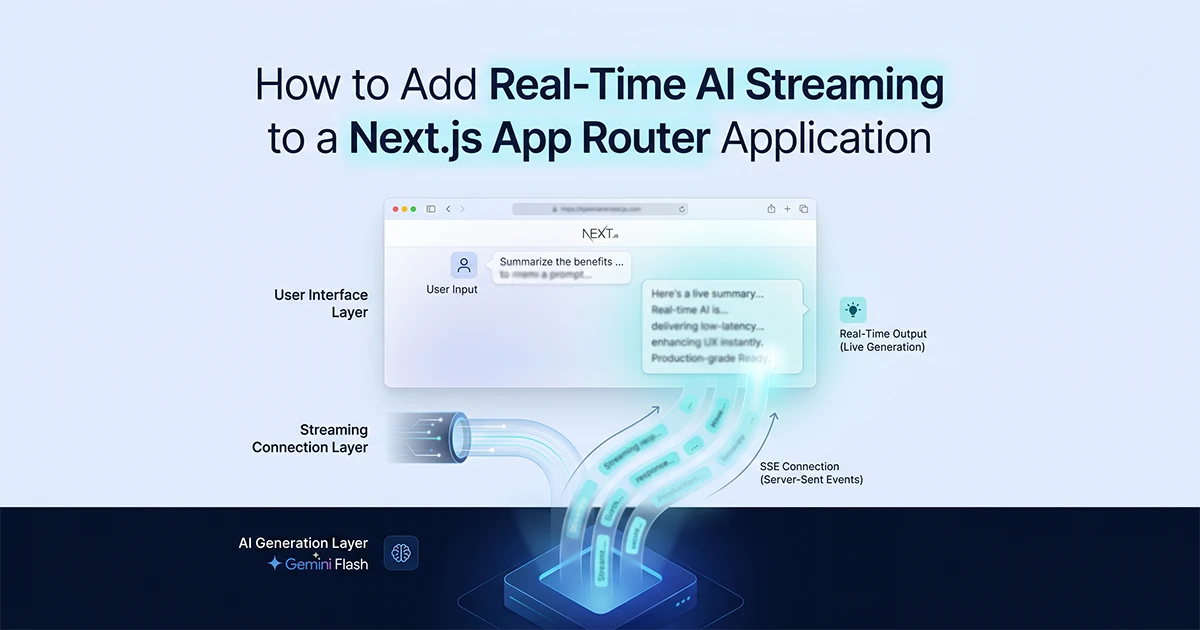
Here's the single highest-ROI UX improvement for any AI content tool: streaming. Not a new model. Not a faster API. Just showing the output word by word instead of making the user stare at a spinner for 8 seconds. My AI content platform runs 10 tools on Gemini 2.5 Flash. Adding streaming didn't change the API cost or the output quality — only the user experience. Here's the complete implementation for Next.js 16 App Router: both the Vercel AI SDK approach and the raw SSE approach, plus the 4 gotchas that break streaming in production without anyone explaining why.
Why Streaming Is the Highest-ROI UX Change for AI Content Tools
Streaming AI responses doesn't reduce API costs or improve output quality — it shows the first word in under 2 seconds instead of making users wait 6–8 seconds for the complete response, eliminating the perception that the tool is broken or slow.
The total generation time is identical. What changes is the user's experience of waiting. A spinner for 8 seconds feels broken — users assume the tool failed after 3–4 seconds with no visible change. Content appearing immediately feels fast. That psychological threshold is why streaming is the single highest-ROI UX improvement for AI content tools: same backend latency, radically different perception.
I added streaming to a 10-tool AI content platform running Gemini 2.5 Flash for ad copy, Instagram captions, YouTube scripts, Facebook content, email sequences, and product descriptions. Before streaming, every tool followed the same pattern: user clicks Generate, waits 6–8 seconds staring at a loading spinner, then the full response appears at once. After streaming, the first word appears in under 2 seconds and content builds progressively. Same API cost at roughly $20–60/month, dramatically better engagement. Roughly 3 lines of server code changed per tool, plus a client component swap from fetch to useCompletion.
Use gemini-2.5-flash for streaming — not gemini-2.0-flash, which retires June 1, 2026. Gemini 3.5 Flash launched May 19, 2026 but costs 5× more; for short-form content tools generating under 500 tokens, 2.5 Flash is the production default. This Next.js App Router AI streaming Gemini real-time 2026 guide covers both implementation paths against that model.
| Old Pages Router | App Router + AI SDK | App Router + Raw SSE | |
|---|---|---|---|
| Implementation | res.write() + res.end() |
streamText() → toDataStreamResponse() |
ReadableStream + headers |
| Client code | Manual polling or no stream | useCompletion() hook |
fetch() + reader.read() |
| SSE headers | Manual, error-prone | Automatic | Manual (4 headers required) |
| AbortController | Manual | Automatic (unmount cleanup) | Manual |
| TypeScript | Weak | Full types | Partial |
| Dependencies | None | ai + @ai-sdk/google |
@google/generative-ai only |
| Best for | Legacy code | New builds or existing AI SDK | Zero extra dependencies |
Adding streaming to an AI content tool doesn't cost anything extra — the API call is identical, the model is identical, the output is identical. The only difference is whether your users see a blinking cursor or a spinner. One feels alive. The other feels broken. For 3 lines of server-side code, it's the easiest UX improvement in any AI product.
Method 1: The Vercel AI SDK Approach (streamText + useCompletion)
The Vercel AI SDK approach requires installing two packages, replacing generateText with streamText in the Route Handler, returning result.toDataStreamResponse(), and replacing the client fetch with useCompletion — approximately 3 changed lines server-side, 10 client-side.
Install and configure
Run npm install ai @ai-sdk/google and set GOOGLE_GENERATIVE_AI_API_KEY in .env.local. The model string is google('gemini-2.5-flash'). If you're already using other @ai-sdk/* providers in your project, or starting a fresh Next.js 16 build, this is the path of least resistance.
Why the AI SDK handles the hard parts
The SDK abstracts four things that break in raw implementations: SSE chunking with correct double-newline framing, backpressure control so slow clients don't overwhelm memory, AbortController cleanup on component unmount (preventing memory leaks when users navigate away mid-generation), and full TypeScript types for the stream. The useCompletion hook from ai/react manages client state automatically — the completion string updates in real time as tokens arrive, with no manual setState in a read loop. When to use this approach: if you're already on Vercel infrastructure, already using the AI SDK for other providers, or want production streaming without hand-rolling SSE parsing.
// ── Part 1: app/api/generate/route.ts — streaming Route Handler ──

import { google } from '@ai-sdk/google';
import { streamText } from 'ai';
import { auth } from '@/lib/auth';
import { checkRateLimit } from '@/lib/rate-limit';
import { InputSchema } from '@/features/tools/schemas';

export const dynamic = 'force-dynamic';  // CRITICAL: prevents route caching
export const runtime = 'edge';           // 30s timeout — enough for most tools

export async function POST(req: Request) {
  const session = await auth();
  if (!session?.user?.id) {
    return new Response('Unauthorized', { status: 401 });
  }

  const rateLimit = await checkRateLimit(session.user.id);
  if (!rateLimit.allowed) {
    return new Response('Rate limited', { status: 429 });
  }

  const body = await req.json();
  const parsed = InputSchema.safeParse(body);
  if (!parsed.success) {
    return new Response('Invalid input', { status: 400 });
  }

  // NOTE: gemini-2.0-flash retiring June 1, 2026 — use gemini-2.5-flash
  const result = await streamText({
    model: google('gemini-2.5-flash'),
    system: 'You are an expert marketing copywriter...',
    prompt: parsed.data.prompt,
  });

  // toDataStreamResponse() handles all SSE headers automatically
  return result.toDataStreamResponse();
}

// ── Part 2: components/tools/ContentGenerator.tsx — client component ──

'use client'
import { useCompletion } from 'ai/react';
import { useState } from 'react';

export function ContentGenerator({ toolId }: { toolId: string }) {
  const [prompt, setPrompt] = useState('');

  const { completion, complete, isLoading, stop } = useCompletion({
    api: '/api/generate',
    // AbortController managed automatically — no cleanup needed
  });

  async function handleGenerate() {
    if (!prompt.trim()) return;
    await complete(prompt);  // triggers streaming, completion updates in real-time
  }

  return (
    <div className="tool-output">
      <textarea
        value={prompt}
        onChange={(e) => setPrompt(e.target.value)}
        placeholder="Describe your product..."
      />
      <div className="tool-actions">
        <button onClick={handleGenerate} disabled={isLoading}>
          {isLoading ? 'Generating...' : 'Generate'}
        </button>
        {isLoading && (
          <button onClick={stop} className="btn-stop">Stop</button>
        )}
      </div>
      {/* completion streams in word by word — no explicit state needed */}
      {completion && (
        <div className="tool-result">{completion}</div>
      )}
    </div>
  );
}
Method 2: Raw Server-Sent Events — Full Control, Zero Extra Dependencies
The raw SSE approach uses the Web Streams API directly in a Next.js Route Handler — returning a ReadableStream with the four required SSE headers — and a fetch-based client that reads the response body as a stream, giving complete control over the data format with no additional dependencies beyond @google/generative-ai.
Server-Sent Events in Next.js 16 App Router work through standard Web APIs, not a framework-specific streaming primitive. The Route Handler returns a Response whose body is a ReadableStream. Each chunk follows the SSE wire format: data: <JSON payload>\n\n — the double newline is mandatory; a single newline breaks client parsers. You cannot use the browser's native EventSource API here because it only supports GET requests, and AI generation routes need POST with a JSON body. The fetch + getReader() pattern below handles POST-based SSE correctly.
When to choose raw over AI SDK
Choose raw SSE when you have no existing AI SDK dependency and don't want to add one, when you need a custom event format (progress events, metadata alongside content, multi-step updates), or when you're building a non-AI SSE endpoint for job progress or notifications. Raw SSE also makes sense when you need to inspect or transform every chunk before it reaches the client — for example, filtering empty tokens or attaching generation metadata per chunk.
// ── Part 1: app/api/generate-stream/route.ts — raw SSE Route Handler ──

import { GoogleGenerativeAI } from '@google/generative-ai';

export const dynamic = 'force-dynamic';  // prevents caching — REQUIRED
export const runtime = 'edge';

const genAI = new GoogleGenerativeAI(process.env.GOOGLE_AI_API_KEY!);

export async function POST(req: Request) {
  const { prompt } = await req.json();
  const model = genAI.getGenerativeModel({ model: 'gemini-2.5-flash' });

  const encoder = new TextEncoder();

  // THE GOLDEN RULE: return Response immediately, stream inside start()
  // Do NOT for-await before returning — Next.js will buffer everything
  const stream = new ReadableStream({
    async start(controller) {
      try {
        const result = await model.generateContentStream(prompt);

        for await (const chunk of result.stream) {
          const text = chunk.text();
          if (text) {
            // SSE format: "data: <payload>\n\n"  (double newline REQUIRED)
            controller.enqueue(
              encoder.encode(`data: ${JSON.stringify({ text })}\n\n`)
            );
          }
        }
        // Signal completion
        controller.enqueue(encoder.encode('data: [DONE]\n\n'));
      } finally {
        controller.close();
      }
    },
  });

  return new Response(stream, {
    headers: {
      'Content-Type': 'text/event-stream; charset=utf-8',
      'Cache-Control': 'no-cache, no-transform',
      'Connection': 'keep-alive',
      'X-Accel-Buffering': 'no',  // CRITICAL: disables Nginx proxy buffering
    },
  });
}

// ── Part 2: Minimal fetch-based SSE client (POST — not EventSource) ──

async function streamGenerate(prompt: string, onChunk: (text: string) => void) {
  const response = await fetch('/api/generate-stream', {
    method: 'POST',
    headers: { 'Content-Type': 'application/json' },
    body: JSON.stringify({ prompt }),
  });

  if (!response.body) throw new Error('No response body');

  const reader = response.body.getReader();
  const decoder = new TextDecoder();

  while (true) {
    const { done, value } = await reader.read();
    if (done) break;

    const text = decoder.decode(value, { stream: true });
    // Parse SSE lines
    for (const line of text.split('\n')) {
      if (line.startsWith('data: ') && line !== 'data: [DONE]') {
        const data = JSON.parse(line.slice(6));
        onChunk(data.text);
      }
    }
  }
}

// Usage in a React component:
// streamGenerate(prompt, (chunk) => setOutput(prev => prev + chunk))
The 4 Production Gotchas That Break Streaming on Vercel (And How to Fix Each)
The four streaming failures in production are identical code that doesn't stream: missing force-dynamic (route gets cached), returning the Response too late (Next.js buffers everything), missing X-Accel-Buffering: no (proxy buffers chunks), and function timeout (Node runtime's 10-second default).
The Golden Rule: Next.js waits for the Route Handler to RETURN before sending the Response. If you for await over the Gemini stream before returning, Next.js buffers every chunk and sends it all at once when the handler finishes. This looks exactly like "streaming isn't working." Always return the Response immediately with a ReadableStream. Put the for await loop inside start(controller) — not before the return.
Gotcha 1 — Missing force-dynamic (route gets cached)
Next.js caches GET Route Handlers by default. An SSE route must NEVER be cached — it must re-execute on every request. Add export const dynamic = "force-dynamic" at the top of every streaming Route Handler. Without this, Next.js may serve a cached first response to subsequent users, or the route may not stream at all. Both code examples in this post include this export. Skip it and every user gets the same cached output.
Gotcha 2 — Proxy buffering (chunks arrive in burst at end)
Nginx — used by most self-hosted deployments and some Vercel proxy configurations — buffers SSE by default. Without X-Accel-Buffering: no in your response headers, chunks accumulate in the proxy buffer and arrive in a single burst when the connection closes. The result looks identical to non-streaming: 6–8 seconds of silence, then everything at once. The four required headers for raw SSE are: Content-Type: text/event-stream; charset=utf-8, Cache-Control: no-cache, no-transform, Connection: keep-alive, and X-Accel-Buffering: no. The AI SDK sets these automatically via toDataStreamResponse(); raw SSE requires setting them manually.
Gotcha 3 — Function timeout (stream cuts off mid-generation)
Edge runtime carries a 30-second timeout — fine for most Gemini 2.5 Flash short-form content, which typically finishes in 5–15 seconds without thinking mode. Node.js runtime on Vercel defaults to a 10-second timeout — too short for longer generations. Fix for Node runtime: export const maxDuration = 60, which requires Vercel Pro or Enterprise. For content tools generating under 500 tokens, Edge runtime with export const runtime = 'edge' is the simpler choice. If your stream cuts off mid-sentence in production, timeout — not buffering — is the likely cause.
Gotcha 4 — Compression buffering
Gzip and Brotli collect chunks before compressing them, which defeats streaming at the transport layer even when your application code is correct. Set compress: false in next.config.ts to prevent Next.js from gzip-buffering chunks before flush — apply globally if most routes are API-only. Combined with X-Accel-Buffering: no, this covers both proxy-level and compression-level buffering.
Migrating an Existing AI Tool From Batch to Streaming (The 3-Line Server Change)
Migrating an existing non-streaming AI tool to streaming requires changing generateText to streamText, returning result.toDataStreamResponse() instead of NextResponse.json(), and replacing the client fetch with useCompletion — the system prompt, auth gates, and rate limiting remain unchanged.
The before and after
The security layer stays identical: auth → rate limit → validate input → execute model call. Only the execution and response format change. Here are the exact lines that differ on the server:
Before (non-streaming): const result = await generateText({ model: google('gemini-2.5-flash'), prompt }); return NextResponse.json({ content: result.text });
After (streaming): const result = await streamText({ model: google('gemini-2.5-flash'), prompt }); return result.toDataStreamResponse();
On the client, replace the useState + fetch + JSON.parse pattern with useCompletion. The hook's completion string updates automatically as tokens arrive — no manual state accumulation in a read loop. I migrated all 10 text-based tools on the platform using this pattern in a single afternoon.
On a multi-tool platform, only text-based tools stream. The tool registry pattern for multi-tool SaaS lets you add streaming per tool without rewriting the entire architecture — each tool keeps its own Route Handler and client component, and you opt in to streaming tool by tool rather than platform-wide.
Handling tools that need structured output
Not all tools should stream. If a tool returns structured JSON validated with Zod, streaming is architecturally incompatible — you cannot validate partial JSON. Those tools stay on generateText or generateObject and return the complete response before the client does anything with it. On my platform, 8 of 10 tools stream; 2 remain batch because they return typed objects.
When Not to Stream: The Structured Output and Multi-Step Exception
Don't stream when the output is structured JSON (partial JSON cannot be validated with Zod), when the client needs the complete response before doing anything useful with it, or when the generation time is under 1–2 seconds — streaming adds network overhead with no perceptible UX benefit at that speed.
The three no-streaming cases
- Structured JSON output:
generateObject()with a Zod schema requires the complete JSON blob before validation. Streaming partial JSON means your validator receives incomplete data and throws errors on every chunk. Keep these tools on batch generation. - Sub-2-second generation: if Gemini returns in under 2 seconds, the "appearing text" effect never registers — users see the full output before the streaming animation completes. Streaming adds SSE parsing overhead with zero perceptible benefit.
- Pipeline inputs: if the output of tool A feeds directly into tool B's API call, streaming tool A's output isn't useful — tool B needs the complete string before it can execute. Stream the final user-facing output; keep intermediate pipeline steps batch.
For tools that need typed, validated JSON output rather than freeform text, the approach in the structured JSON output with schema enforcement guide is the right pattern — and those tools should remain non-streaming.
The hybrid approach
Some tools can split the difference. Stream the ad copy — visual, engaging, the part users watch — then fire a non-streaming call for hashtag suggestions or metadata extraction after the stream completes. The user sees word-by-word generation for the primary content while structured follow-up data arrives as a validated JSON object once the stream ends. This hybrid pattern covers most multi-output tools without forcing you to choose streaming or batch for the entire feature.
I document Next.js AI streaming patterns on hassanr.com because the gotchas — the Golden Rule, X-Accel-Buffering: no, force-dynamic — are rarely explained until your stream "doesn't work" in production and you've already spent an afternoon debugging proxy buffers. Hassan Raza added streaming across a 10-tool platform without changing API cost, model choice, or output quality — only the 6–8 second spinner became a blinking cursor in under 2 seconds.
Frequently Asked Questions
Two approaches: (1) Vercel AI SDK — install ai and @ai-sdk/google, replace generateText with streamText in a Route Handler, return result.toDataStreamResponse(), and use useCompletion from ai/react on the client. (2) Raw SSE — return a new Response(ReadableStream, headers) immediately from the Route Handler, putting the Gemini stream loop inside the start(controller) callback, with the four required headers: Content-Type: text/event-stream, Cache-Control: no-cache no-transform, X-Accel-Buffering: no, and Connection: keep-alive. Add export const dynamic = "force-dynamic" to both approaches to prevent route caching.
Next.js 16 App Router Route Handlers support SSE via the Web Streams API. Create a Route Handler that returns new Response(ReadableStream, headers) immediately — do not for await before returning or Next.js buffers the entire response. Required headers: Content-Type: text/event-stream, Cache-Control: no-cache, X-Accel-Buffering: no (prevents Nginx proxy buffering), and Connection: keep-alive. Add export const dynamic = "force-dynamic" to prevent caching, and export const runtime = "edge" for the 30-second timeout (or export const maxDuration = 60 with Node runtime and a Vercel Pro plan). Each SSE event must end with a double newline: data: payload\n\n.
Non-streaming AI responses wait for the model to complete generation (6-8 seconds for most content tools), then return the entire output at once. Streaming responses return each token as it is generated — the first token arrives in under 2 seconds, and the full output streams in progressively over the same 6-8 seconds. The API cost is identical for both. The only differences are latency perception (streaming feels dramatically faster), the implementation (Route Handler returns a stream instead of JSON), and use-case compatibility (structured JSON output cannot be streamed — only freeform text). For AI content tools generating ad copy, captions, or scripts, streaming is almost always the correct choice.